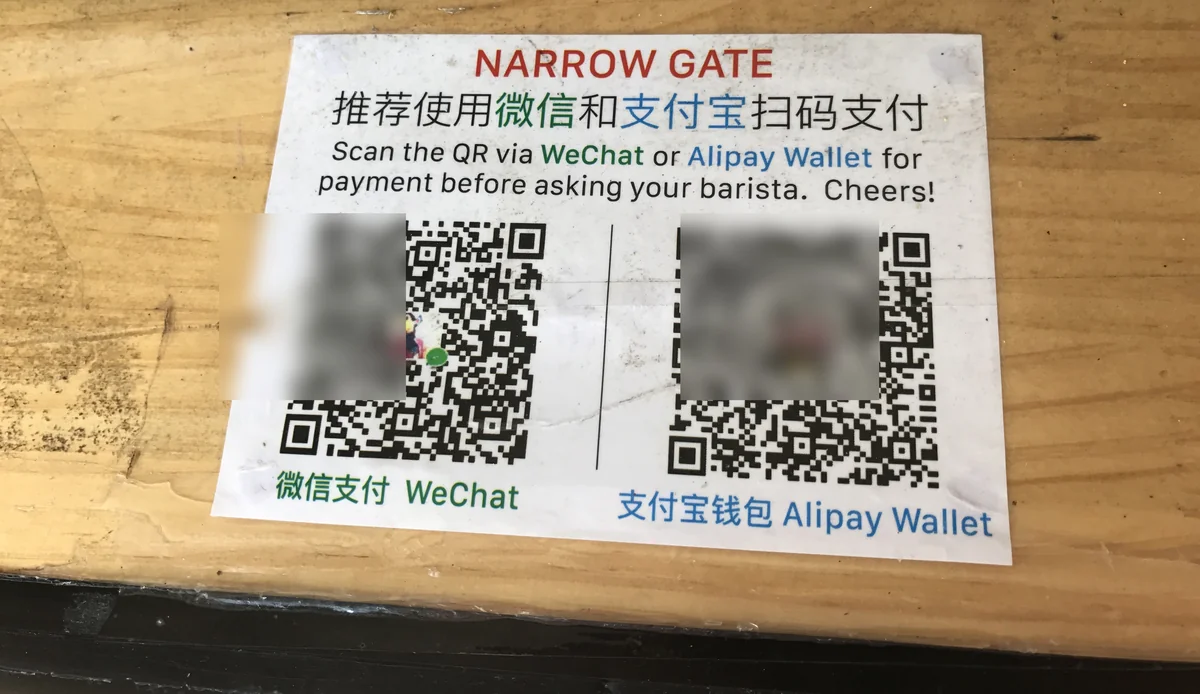
For most first-time visitors, the biggest headache in China isn't the language or the food — it's paying for things.
China runs on mobile payments. Cash still technically works, but plenty of small shops have no change, some staff look genuinely puzzled when you hand over a banknote, and a few places simply won't take it. Your Visa or Mastercard won't save you either: outside big international hotels and some large stores, card terminals for foreign cards are rare.
So in practice you need what locals use: Alipay (支付宝) and WeChat Pay. Without at least one of them, getting around China is honestly hard work.
The good news: Alipay now lets you link a foreign credit or debit card, and you can set it all up before you leave home. I'm 4G (Yongji), a Japanese YouTuber living in Shenzhen, and in this guide I'll walk you through exactly how I did it — from installing the app to paying at a 7-Eleven and on a city bus.
✅ What you need before you start
| You'll need | Notes |
|---|---|
| A smartphone | iPhone or Android |
| A credit or debit card | Visa, Mastercard and other major brands (more below) |
| Your own mobile number | Any country — used to receive the sign-up code |
| Mobile data in China | A China SIM, a travel eSIM or international roaming |
The card I use: a Japanese Visa card. It linked without any trouble and has worked everywhere I've tried in China. Cards from other countries work the same way — the card just needs to be in your own name.
📲 Step 1: Download Alipay
Search for "Alipay" in the App Store (iOS) or Google Play (Android) and install it. You can do this from your home country — there's no need to wait until you land. In fact, it's better to set everything up at home while you still have reliable internet.
📝 Step 2: Create an account
When you open the app you'll see a sign-up / log-in screen. You can register with your own country's phone number — just pick your country code and follow the prompts to enter the SMS code.
🌐 Switching the language to English
The app may open in Chinese. Here's how to switch it to English:
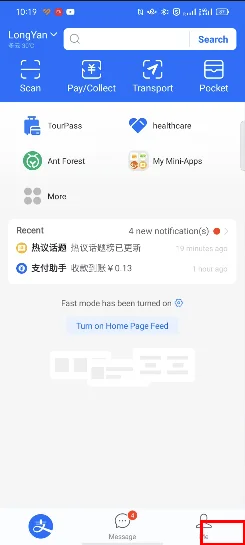
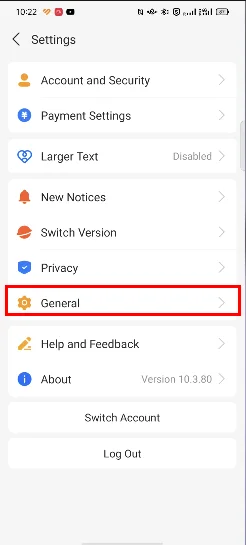
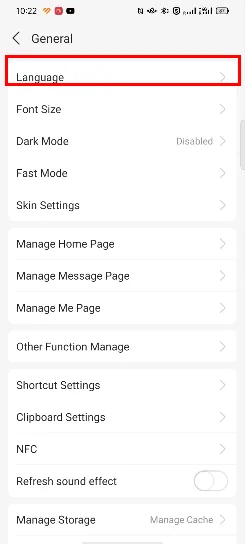

💳 Step 3: Link your card
This is the most important step.
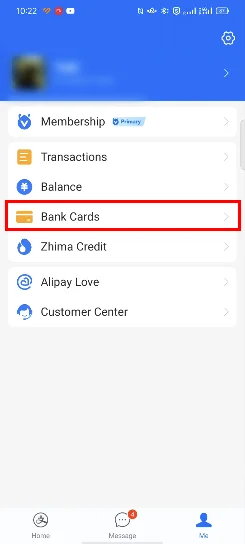
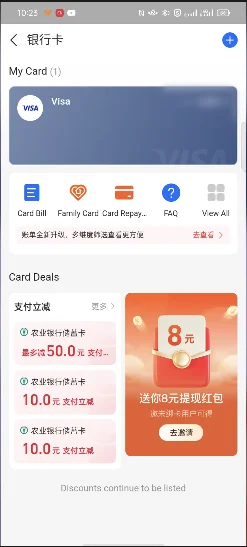
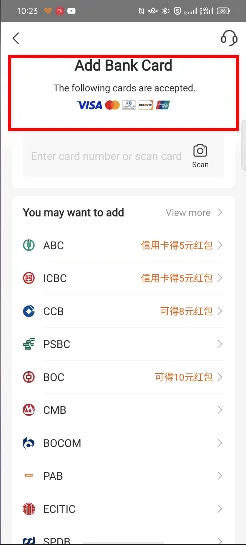
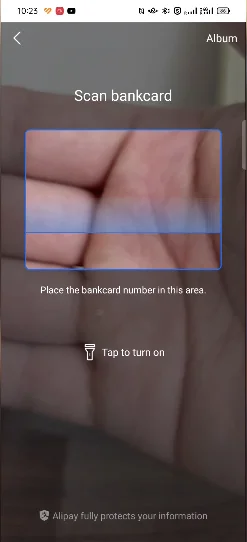
The sign-up screen lists Visa, Mastercard, Diners, Discover and UnionPay. I've personally used Visa and Mastercard with no problems. I haven't tested the other brands myself, though I've heard from viewers that American Express works too.
🛒 How to pay in a shop
That's the setup done. Once you're in China, here's how paying works.
The payment steps
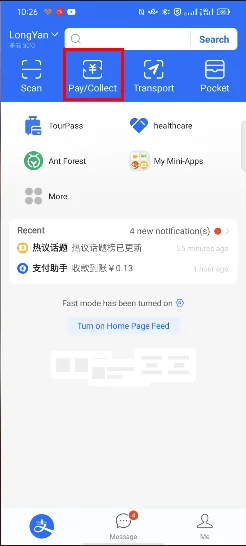
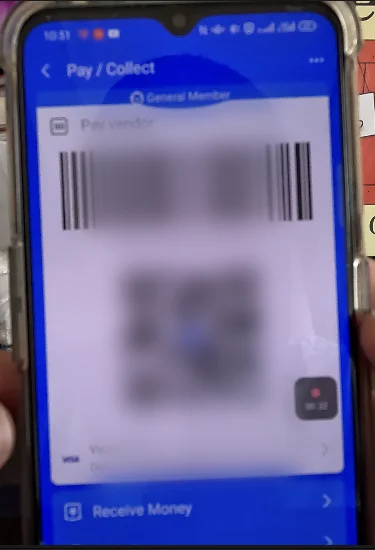
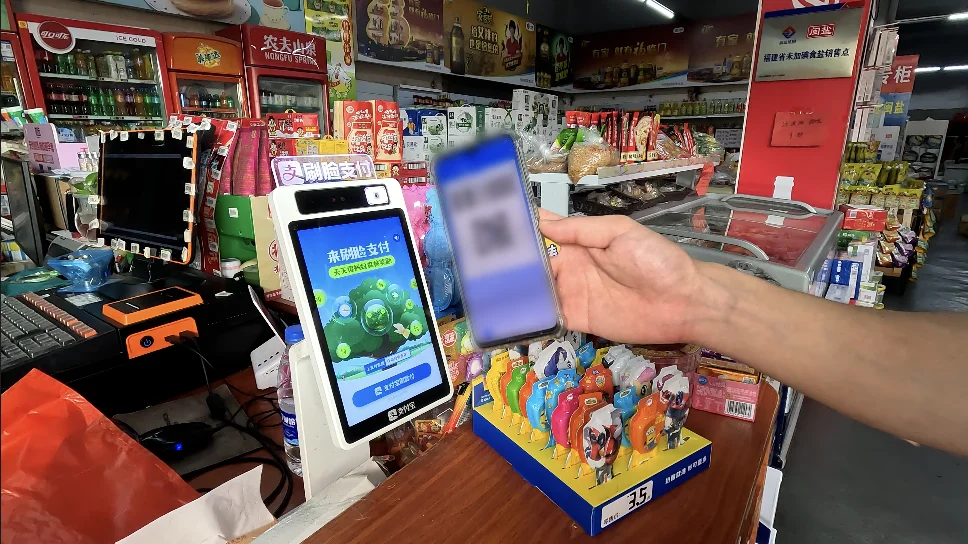
Where I've paid with it
Here are the places I actually tested Alipay with my foreign card:
🏪 7-Eleven (self-checkout) After scanning my items, I pressed the button with the Alipay logo, opened "Pay/Collect" on my phone and held the code up to the reader. Paid instantly.
🧺 A small neighborhood supermarket Even tiny local shops have a scanner. Same routine — show the code, done.
🥐 A bakery inside a shopping mall Also code-scanning, also no problem.
🚌 The bus I paid my bus fare with Alipay too.
📶 You need mobile data
One very important point: Alipay only works when your phone is online. There's no offline mode.
So before you fly, sort out a data connection that works in China — a China SIM card, a travel eSIM or roaming from your home carrier. With any of these, Alipay works fine.
⚠️ It doesn't work absolutely everywhere
In my experience, Alipay with a foreign card failed in a couple of places:
- Some stores inside a large shopping center
- Buying a high-speed rail ticket at the station
I'm not sure whether it was the amount or whether those merchants simply don't accept foreign-card payments, but don't assume it will work 100% of the time. Having WeChat Pay as a backup — plus a little cash — covers you.
That said, ordinary shops, restaurants and taxis worked without a hitch. For the vast majority of payments on a typical China trip, Alipay alone will do the job.
📌 Summary
Link a foreign card to Alipay and you can pay by phone almost anywhere in China. The whole setup takes about ten minutes:
- Download Alipay (you can do it at home)
- Sign up with your own phone number
- Link your Visa / Mastercard
- In a shop, open "Pay/Collect" and show the code
My advice: do all of this before you leave home, then make one small test payment as soon as you arrive.
🎬 Watch the video
I also cover this on my YouTube channel, "4G's China Life" (the video is in Japanese — English subtitles are on the way). You can see me paying at a 7-Eleven, a supermarket and on a bus.

▶ Watch: How foreigners can use Alipay in China
📚 Read next
Once Alipay is set up, these guides show you how to use it in real situations:
- How to Set Up WeChat Pay as a Foreigner — the other big payment app. With both, you'll almost never get stuck at the till
- How to Ride the Metro in China — go through the gates with an Alipay QR code
- How to Use DiDi in China — book a taxi from inside Alipay without speaking Chinese
- How to Order with a QR Code in Chinese Restaurants — most restaurants now take orders by QR code; here's how it works
Information current as of October 2026. Alipay updates its app and rules frequently — please check the official app or website for the latest details.
Image credits: Wikimedia Commons CC BY-SA