The hardest part of getting around China is often the last mile 🚕
The metro is cheap and convenient, but sooner or later you'll want a taxi — heavy bags, rain, late at night, or somewhere far from a station. Flagging one down on the street means explaining your destination in Chinese, which is where most visitors get stuck.
The answer is DiDi (滴滴出行), by far the most popular ride-hailing app in China.
I live in Shenzhen and use DiDi for almost every car journey. Better still, you don't need to install a separate app — DiDi runs inside Alipay. If your Alipay is already working, you can book a ride straight away.
In this guide I walk through how I booked DiDi rides during a stay in Shanghai — from booking and getting in, to the airport pickup trap that confuses almost everyone 😊
🚗 What is DiDi?

DiDi (滴滴出行, "dee-dee") is China's most widely used ride-hailing app — think Uber or Lyft.
I've covered another taxi app on my channel before, but viewers kept asking for DiDi, the one everybody in China actually uses. Its market share is in a league of its own.
For visitors, two benefits stand out:
| Benefit | What it means |
|---|---|
| 🗣️ No language needed | You pick your destination on a map, so you don't have to talk to the driver |
| 💳 Automatic payment | The fare is charged to your Alipay — no cash, no haggling, no overcharging |
The less Chinese you speak, the more DiDi will help you.
Before you start: Alipay must be ready to pay
This guide uses DiDi inside Alipay, so you need Alipay set up with a foreign credit or debit card linked. Foreigners can now link a Visa or Mastercard and pay like locals — if you haven't done it yet, do that first.
💡 Sign-up and card linking are explained step by step in How to Use Alipay in China as a Foreigner.
📱 How to book DiDi from Alipay
No extra download needed.
You've booked a car without saying a word of Chinese — that's DiDi's biggest advantage.
💡 Searching in English doesn't always find smaller places. If a hotel or restaurant doesn't show up, copy its Chinese name (from your booking confirmation or a map app) and paste it in.
⚠️ Choosing a car type — watch out for the cheapest option
The one thing to be careful about is which car type you select.
You'll see a long list, roughly sorted from cheapest to most expensive. If you just tick the cheapest, you may not get what you expect.
The super-cheap option at the top is a shared ride
The unusually cheap option near the top (about 6.5 yuan when I booked in Shanghai) is 拼车 (pīnchē) — a shared ride.
You'll share the car with other passengers heading in a similar direction, which is why it's so cheap. Fine if you're on a tight budget, but not ideal if:
- 🧳 you have a suitcase or big bags
- 👨👩👧 you're traveling as a family or group
- ⏰ you're in a hurry (the car may drop other passengers off first)
- 🙅 you'd rather not share with strangers
Pick "快车" (Express) instead
If you want the car to yourself, choose 快车 (kuàichē, "Express") — look for the option with the character 车 below the shared ride. Options like 滴滴特快 nearby are also private rides that feel much the same.
I usually tick just these two and request.
| Option | What it is | Recommended for |
|---|---|---|
| 拼车 (shared) | Cheapest; shared with other passengers | No luggage, not in a rush |
| 快车 (Express) | Private, standard car | ⭐ Most travelers |
| 滴滴特快 | Private; very similar to Express | ⭐ Also fine |
| Higher tiers | Pricier, bigger cars, faster pickup | Groups or lots of luggage |
Further down the list you'll see more expensive tiers — the higher the price, the faster you get a car and the bigger and nicer it is. For everyday trips, ticking the Express options is plenty.
🔍 After booking — check the car details
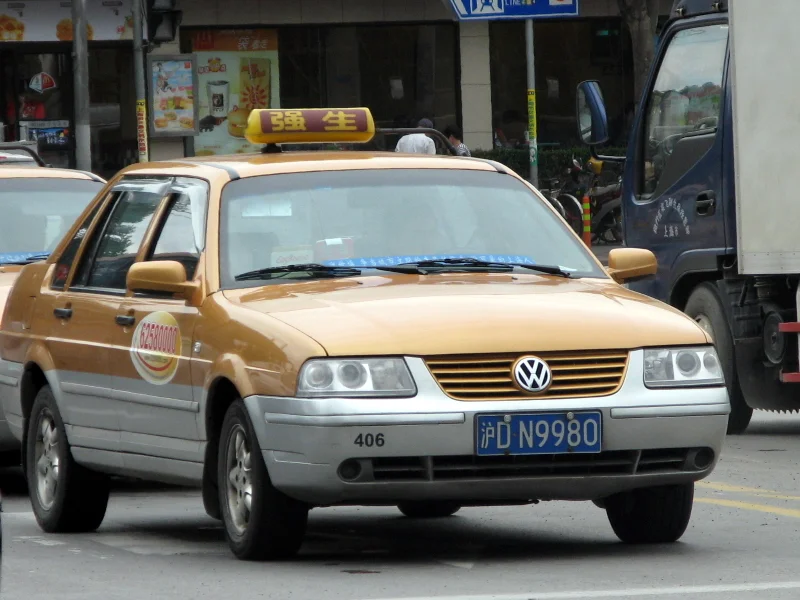
A driver usually accepts within moments. The app then shows:
- 🚗 The license plate
- 🎨 The car's color (mine was gray)
- 📍 Where the car is right now on a live map
- ⏱️ How long until it arrives (counting down: 8 minutes, 7 minutes…)
Watching the car approach on the map takes the guesswork out of waiting. Use the plate and color to find your ride.
🔢 The password when you get in — the last 4 digits of your phone number
This is something you won't find in most countries, and it trips people up.
When you get into a DiDi car in China, tell the driver the last four digits of your phone number. It's how the driver confirms they've picked up the right passenger. I read mine out in Chinese — something like "sān bā líng bā" (3-8-0-8).
⚠️ Some drivers set off without asking, but others won't move until you give the four digits. Make it a habit to say them as soon as you get in.
If you signed up for Alipay with your home-country number, just give the last four digits of that number. You don't need a Chinese phone number.
Don't know the numbers in Chinese? Show the digits on your phone screen — that works perfectly well 😊
🛫 Important: the airport pickup trap
This is the part I most want you to read.

When I landed at Shanghai Hongqiao Airport and booked a DiDi, the booking went through instantly — but the pickup point was in a parking garage.
Don't go to the "TAXI" rank
Airports and big stations all have a clearly signposted "出租车 (TAXI)" rank. Naturally, you'd think that's where your booked car will come.
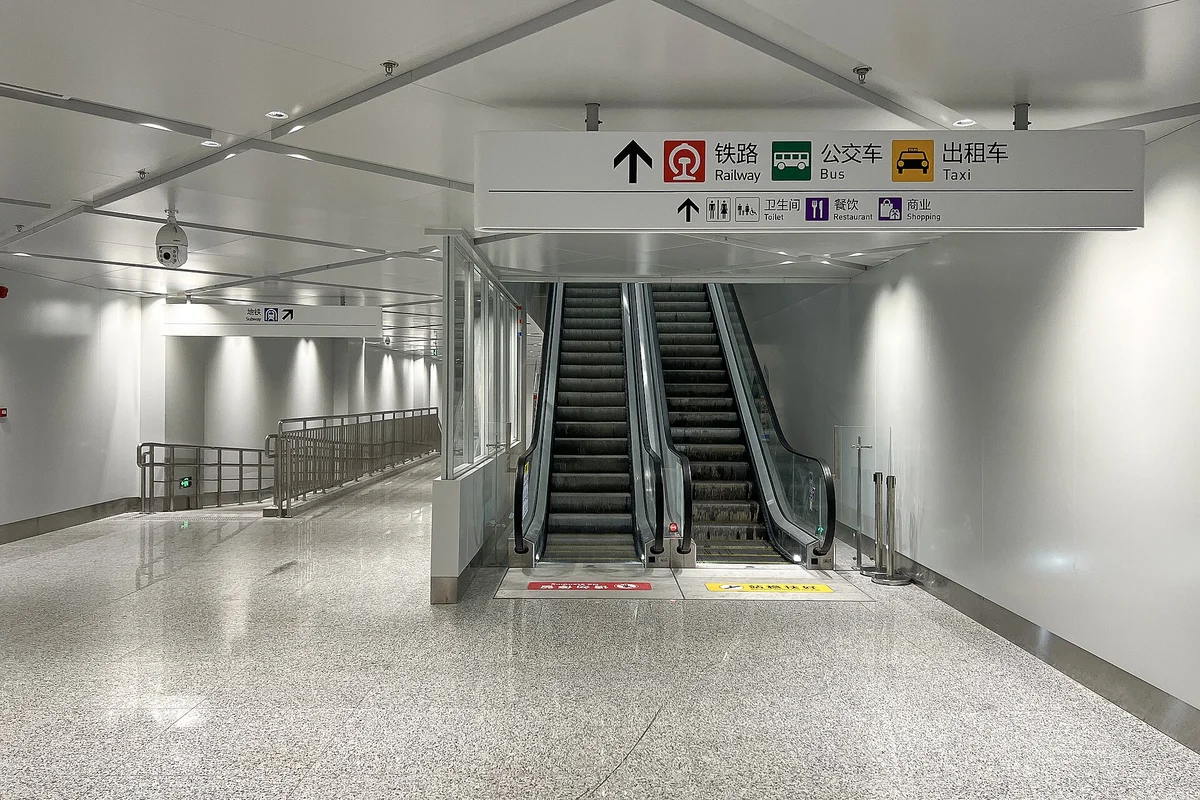
It won't. DiDi cars don't pick up at the taxi rank.
In China, street taxis (出租车) and app-booked cars (网约车, wǎngyuēchē — "online ride-hailing car") use completely separate pickup areas.
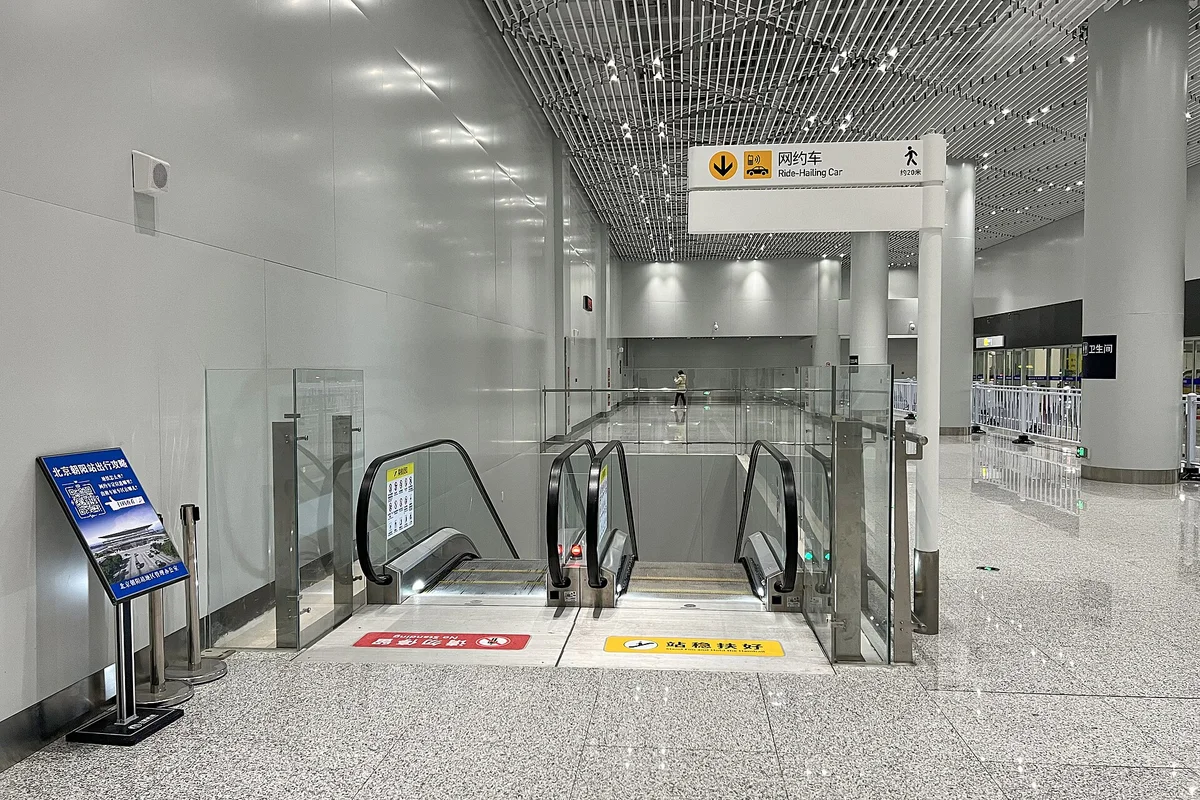
Follow the signs that say "网约车" or "Ride-Hailing Car" instead.
Go to the numbered spot the app gives you
At Hongqiao, the app showed my pickup point as "P7", which meant walking to the second floor of parking area P7.
When you get there, you'll find crowds of people waiting for their DiDi. Honestly, these pickup areas are hard to find — I got a bit lost myself.
After a long flight you're tired and loaded with bags, so leave yourself plenty of time ⏰
📌 Summary
- 📱 No separate app needed — search "DIDI" in Alipay
- 💳 Alipay must be ready to pay — link your foreign card first
- 🚗 Choose 快车 (Express) — the cheapest option is a shared ride (拼车)
- 🔢 Give the last 4 digits of your phone number when you get in — your home number is fine
- 🛫 At airports and stations, skip the TAXI rank — go to the 网约车 / Ride-Hailing pickup area or parking garage
Even with zero Chinese, you can pick a destination on a map, get a car, and pay automatically. Once you can use DiDi, getting around China becomes so much easier.
Have a great trip 🇨🇳
🎬 Watch the video
I demonstrate this on my YouTube channel, "4G's China Life" (the video is in Japanese — English subtitles are on the way).

▶ Watch: How to use DiDi in China as a traveler
📚 Read next
- How to Use Alipay in China as a Foreigner — the setup DiDi depends on
- How to Ride the Metro in China — cheaper and often faster than a car for trips across town
- How to Book China's High-Speed Trains on Trip.com — for traveling between cities
- Amap (Gaode Maps) Guide for Foreigners — find the Chinese name of your destination and plan routes
Information current as of October 2026. App screens and options change frequently.
Image credits: Wikimedia Commons — Shanghai street and taxi: Daniel Case (CC BY-SA 3.0) / Shanghai taxi: WiNG (CC BY 3.0) / Shanghai Hongqiao International Airport: 4300streetcar (CC BY 4.0) / "出租车" and "网约车" signs: N509FZ (CC BY-SA 4.0)