When people prepare for China, they talk about Alipay and visas. But the first moment most visitors think "uh-oh" after landing is actually about maps 🗺️
You walk out of the airport, open Google Maps to find your hotel, and the blue dot sits hundreds of meters away from the road you're standing on. You tap "Directions" and the spinner never stops.
I live in Shenzhen, and this is the first thing that trips up almost every friend who visits. Payments you can solve with Alipay. But without a working map, you can't even get to where you're going.
This guide covers the map app people in China actually use — Gaode Maps (高德地图), known internationally as Amap — from a foreign visitor's point of view. The short version: there's an English version you can download from your home app store, and it gives you metro, bus and walking directions without an account.

🚫 Why Google Maps doesn't work in China
"Can't I just use a VPN?" I get asked this a lot. Half right — even when it connects, it isn't usable. There are two reasons.
Reason 1: Google is blocked
Google services are blocked by China's internet restrictions (the "Great Firewall"). Without a workaround, Google Maps won't even load its map tiles.
Reason 2: Even with a VPN, your location is off
This is the trickier part. By law, maps published in China use a deliberately offset coordinate system, and Chinese map data is built on it.
Your phone's GPS, however, reports raw, unshifted coordinates. Foreign apps don't always reconcile the two, so you get that classic effect where you're walking down the street but the map shows you strolling through buildings.
📱 The answer: install "Amap Global"
This is the key point. Gaode/Amap comes in two versions, and visitors want the international one.
| Domestic 高德地图 | International Amap Global | |
|---|---|---|
| Language | Chinese only | English (voice navigation in English too) |
| Where to get it | Chinese app store | Your home App Store / Google Play |
| Chinese (+86) phone number | Required | Not needed |
| Metro, bus and walking routes | ✓ | ✓ (no login) |
| Ride-hailing | ✓ | ✓ (since August 2026; login required) |
| Good for travelers? | ✗ | ✓✓ |
The domestic version is close to useless without a Chinese phone number. Visitors only need the international version.
⬇️ Getting set up
🈶 If you see Chinese: a cheat sheet
Depending on your phone and settings, even the international version can open in Chinese, and some pages (like shop details) stay in Chinese. Don't panic — use this.
Switching the app to English
Characters you'll see often
| On screen | Pinyin | Meaning |
|---|---|---|
| 路线 | lùxiàn | Route / directions |
| 导航 | dǎoháng | Start navigation (with voice) |
| 终点 | zhōngdiǎn | Destination |
| 起点 | qǐdiǎn | Starting point |
| 地铁 | dìtiě | Metro |
| 公交 | gōngjiāo | Bus |
| 步行 | bùxíng | Walking |
| 打车 | dǎchē | Call a taxi |
| 周边 / 附近 | zhōubiān / fùjìn | Nearby |
| 收藏 | shōucáng | Save to favorites |
| 出口 | chūkǒu | Exit |
| 设置 | shèzhì | Settings |
🔍 Searching: paste the Chinese name
Amap's search handles English reasonably well, but pasting the Chinese name is the most reliable.
Why English search sometimes fails
Many Chinese shops and buildings simply don't have an English name registered. Big landmarks like "Shenzhen Bay Park" come up in English; neighborhood restaurants and small hotels often exist only under their Chinese names.
What works in practice
- 🏨 Hotels — your booking confirmation (Trip.com and most other sites) shows the Chinese name and address. Copy and paste it
- 🍜 Restaurants — when you find a place in a food app, copy its name into Amap
- 🏛️ Sights — paste the Chinese characters from a travel guide (e.g. 深圳湾公园)
- 🏥 Categories — "ATM", "药店" (pharmacy), "医院" (hospital) and "地铁站" (metro station) all work fine

Take Shenzhen's classic 深圳湾公园 (Shenzhen Bay Park). Paste those five characters and it's the first result. "Shenzhen Bay Park" in English works too — but in my experience, the Chinese name is always the safer bet.
🚇 Metro and bus directions — where Amap shines
This is Amap's real strength. It works without logging in, and the detail beats most transit apps you're used to.
How to search
Exit numbers are a lifesaver
Chinese metro stations are enormous. Major stations in Shenzhen or Shanghai often have exits A through F, and coming out of the wrong one can cost you ten minutes or more at street level.
Amap tells you the exact exit, like "Exit A". Checking it before you head upstairs makes a big difference.

Buses are doable too
Buses look daunting, but Amap shows which bus number to take and how many stops to ride. They're a handy option for areas the metro doesn't reach 🚌

For how to actually get through the metro gates (QR codes, contactless cards, tickets), see How to Ride the Metro in China.
🚕 New in August 2026: book rides in English
The biggest recent news.
On August 11, 2026, Amap opened ride-hailing to international visitors in the Amap Global app. (PR Newswire, August 2026)

What changed
- 🌏 You can sign in with a mobile number from 65 countries and regions
- 🇬🇧 Pickup points, routes and fare estimates are shown in English (and other languages)
- 💳 You pay with a credit or debit card linked to Alipay or WeChat Pay
- 🚗 Amap is an aggregator, so one request goes out to multiple ride-hailing and taxi operators
In short, you can now go from route planning to booking a car in one app.
Amap or DiDi?
My take: DiDi if you just want a car; Amap if you're already looking at the map.
DiDi runs inside Alipay, so there's nothing extra to install — see How to Use DiDi in China. Amap's advantage is that you can book straight from the route you've just searched.
For a first trip, DiDi is plenty. Think of Amap's ride-hailing as a handy extra for when it starts raining halfway through your walk 🌧️
🚶 Walking directions and GPS quirks
Walking directions are accurate and even account for footbridges and underpasses. Two quirks to know:
Your location jumps around among skyscrapers
In dense high-rise districts like Futian in Shenzhen or Lujiazui in Shanghai, GPS signals bounce off buildings and your dot can jump tens of meters. Walk to an open intersection and it corrects itself — don't stand under a tower waiting.
It's no help inside huge buildings
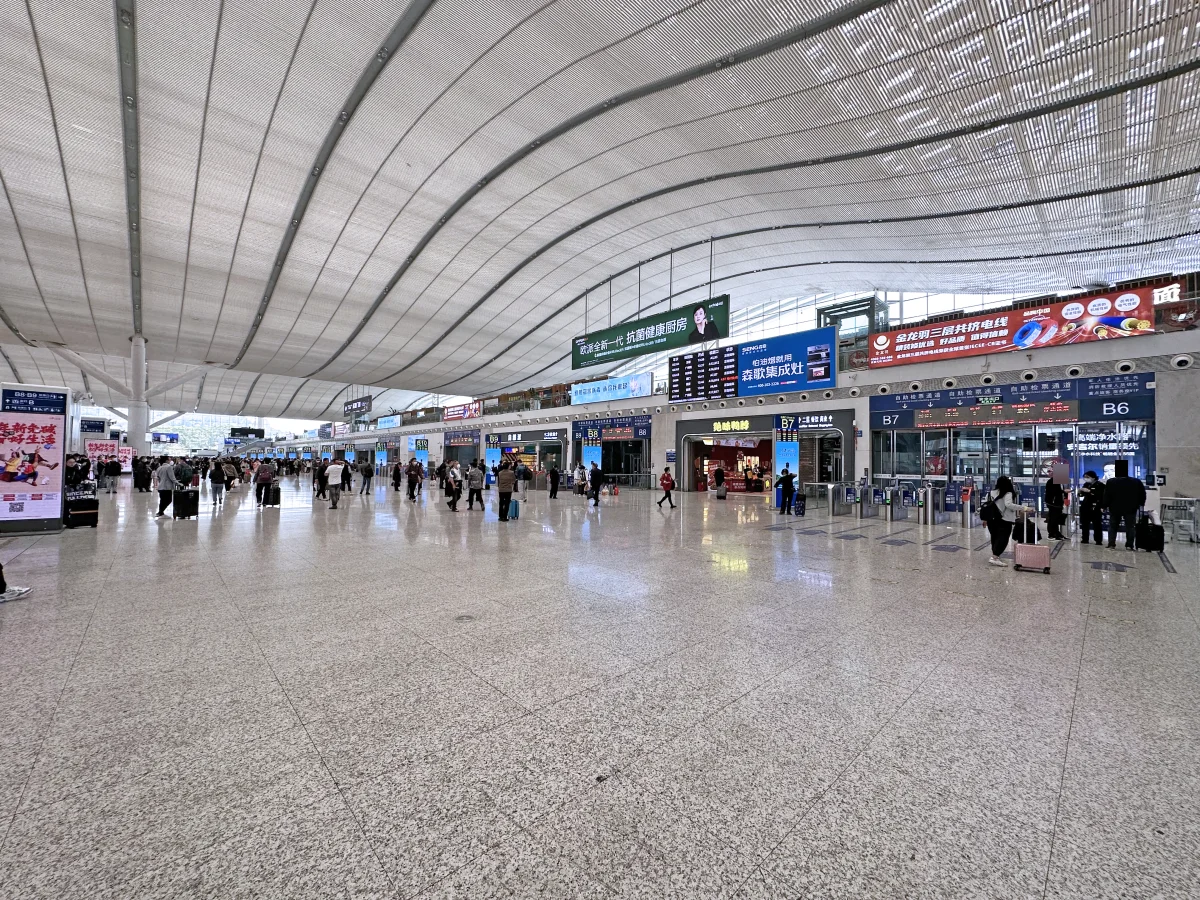
Inside big malls or high-speed rail stations, the map is close to useless. Follow the signs instead. Signage in Chinese stations and airports increasingly includes English, so it's easier than it sounds.
🧭 Amap vs Baidu Maps vs Apple Maps
| App | Strengths | For visitors |
|---|---|---|
| Amap (Gaode) | Solid English version, accurate navigation, built-in ride-hailing | ⭐⭐⭐⭐⭐ All you need |
| Baidu Maps | Rich shop data; sometimes finds places Amap doesn't | ⭐⭐⭐ As a backup |
| Apple Maps | Pre-installed on iPhone. In China it uses Gaode data, so it works without a VPN | ⭐⭐⭐⭐ Worth using alongside on iPhone |
| Google Maps | — | ⭐ Not usable in China |
⚠️ Three easy-to-miss pitfalls
1. It doesn't work offline
Amap needs a data connection. Sort out mobile data first — roaming, a travel eSIM or a China SIM.
2. Login walls appear for rides and bike sharing
Search and directions are completely free with no sign-up. The login prompts only appear when you book a ride or unlock a shared bike. It's not that you can't do anything without logging in, so don't worry if a sign-up screen pops up.
3. Don't count on favorites syncing across devices
Syncing saved places (收藏) between devices involves features tied to Chinese verified accounts and can be unreliable for foreign accounts. Copy important addresses into your notes app instead 📝
❓ FAQ
Q. Does it really work without a Chinese phone number? A. Yes. With Amap Global, search plus walking, metro and bus directions work without an account. Only ride-hailing needs you to sign in with your phone number.
Q. Do I need a VPN? A. Not for Amap — it's a Chinese app, so it isn't blocked. You only need a workaround for blocked services like Google, WhatsApp and Instagram.
Q. Does it cost anything? A. The app is free. You only pay fares when you actually book a ride.
Q. When should I install it? A. Before you leave home. Once you're in China without data, you have no way to download it.
Q. How do I type place names like 深圳湾公园? A. Copy and paste from a guide, a booking confirmation or a travel site. It's by far the quickest way.
✅ Summary
Maps in China, in five lines 🗺️
- 🚫 Google Maps doesn't work in China. Even with a VPN, your location is off — you need a different app
- 📱 Install "Amap" (the international version) from your home app store. No Chinese number needed
- 🆓 Search, walking, metro and bus directions all work without logging in
- 🚇 Screenshot your route before going through the gates. You'll lose signal underground — please do this
- 🚕 Since August 2026, you can book rides in English, paying through a card linked to Alipay or WeChat Pay
So many people focus on payments and arrive without a map app. Installing Amap takes three minutes. Add it to your pre-trip checklist 😊
📚 Read next
- 🚇 How to Ride the Metro in China — after planning your route in Amap, here's how to get through the gates
- 🚕 How to Use DiDi in China — still the easiest way for visitors to book a taxi
- 💳 How to Use Alipay in China as a Foreigner — needed for Amap's ride-hailing
- 🎒 Essential Apps for Traveling in China — the full list of apps to install before you go
Information current as of October 2026.
Image credits: Wikimedia Commons — Fuhua Road intersection, Shenzhen: Benlisquare (CC BY-SA 4.0) / Shenzhen North Station concourse: Qwer132477 (CC BY-SA 4.0) / Shenzhen Bay Park station Exit A: ObbanautYT (CC0) / Shenzhen taxi: 茅野ふたば (CC BY-SA 4.0) / Shenzhen Bay Park: Mx. Granger (CC0) / Shenzhen bus stop: LN9267 (CC BY-SA 4.0). Faces, phone numbers and license plates have been blurred.