If you're traveling between cities in China, the high-speed rail network (高铁, gāotiě) is the way to go. It's fast, smooth and connects almost every major city.
The tricky part for foreigners is buying the ticket. You can use China Railway's official app, Railway 12306, with a foreign passport — but the interface takes some getting used to.
That's why I recommend Trip.com for first-timers. In this guide I show exactly how to book a ticket on Trip.com, using a real trip I took from Guangzhou South to Hong Kong West Kowloon, and then walk you through what happens at the station on the day.
📝 My screenshots below are from Trip.com's Japanese-language site, but the layout and steps are the same in English.
🤔 Trip.com or the official 12306 app?
The short answer first:
| Trip.com | Official app (Railway 12306) | |
|---|---|---|
| Language | Many languages, including English | English and Chinese |
| Booking fee | Yes — about 650 yen (roughly US$4) per ticket in my case | Free |
| Ease of use | Very beginner-friendly | Takes some practice |
| Customer support | Trip.com's own support in your language | Limited |
Chinese train tickets generally go on sale about two weeks in advance — the same on both platforms.
Trip.com's main advantage is that it's easy and familiar; the downside is the small booking fee per ticket. Living in China, I normally use 12306, but if you're new to Chinese trains — or just want peace of mind — Trip.com is well worth it.
🎫 Booking a high-speed train on Trip.com
I'm using a computer here, but the steps are the same in a phone browser or the Trip.com app.
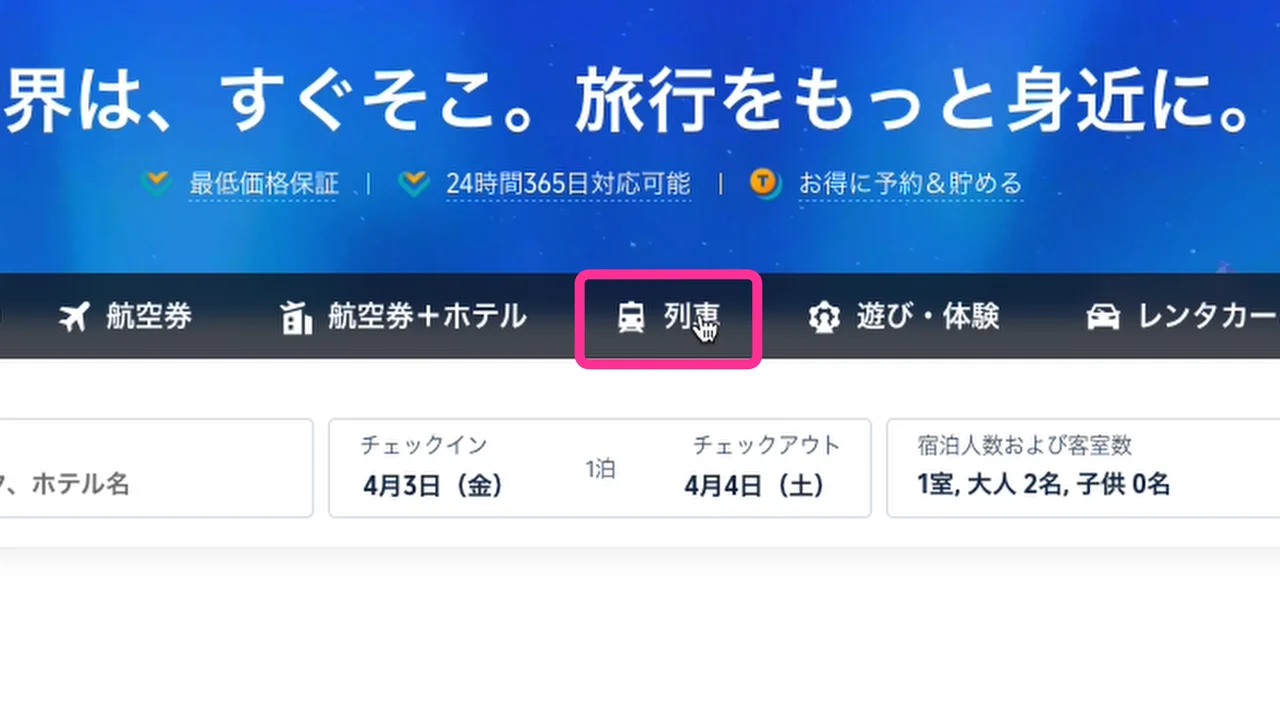
Step 1: Open "Trains"
Go to Trip.com.
Step 2: Enter your stations
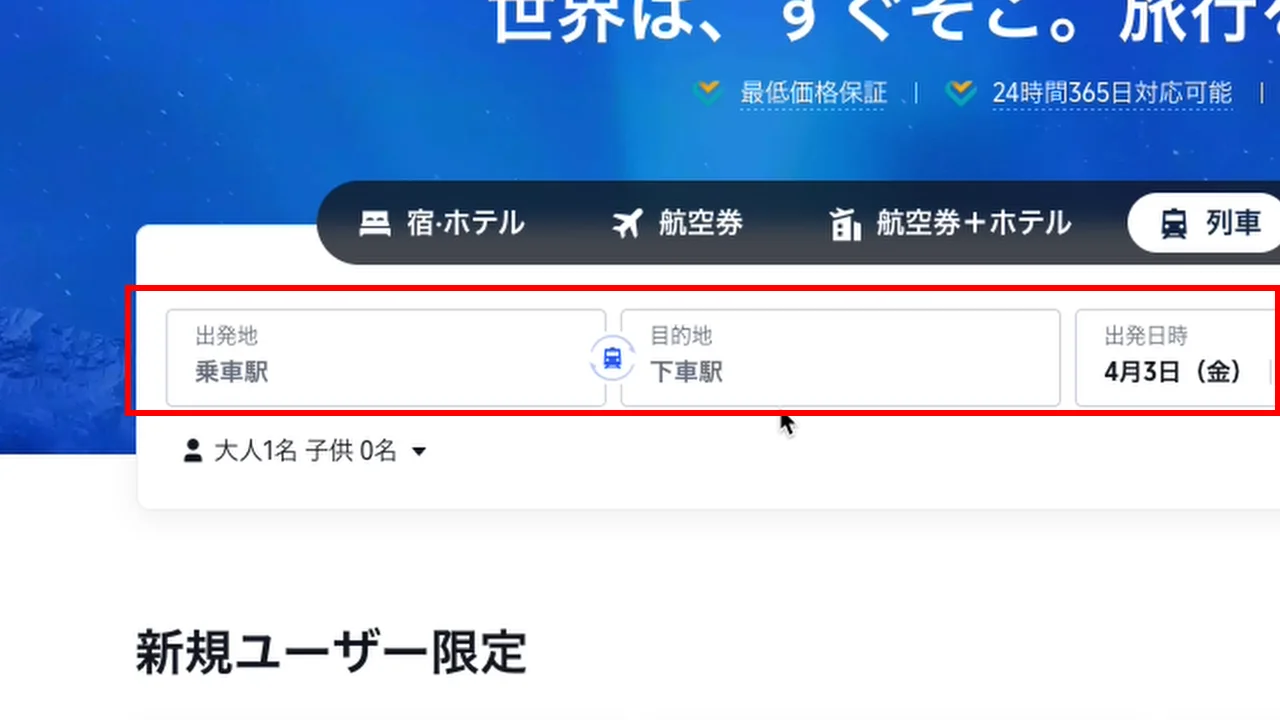
Type the station you'll actually depart from.
For example, type "Guangzhou" and you'll see several high-speed rail stations:
- Guangzhou South
- Guangzhou East
- Guangzhou (main station)
- Guangzhou Xintang
Pick the exact one you'll use, or choose "all Guangzhou stations" to search them all.
I wanted to go from Guangzhou South to Hong Kong West Kowloon, so I typed "Hong Kong" as the destination and picked "Hong Kong West Kowloon".
Step 3: Choose your date
An important point here:
Chinese high-speed rail tickets can only be bought about two weeks ahead.
If today is April 3, for instance, you can book up to about April 17. Each new day, one more day becomes available.
If you know your return date, use "Add return" to book both ways at once. If not, leave it blank.
Step 4: Pick your train
You'll see every train running that day, with departure and arrival times, journey time and price.
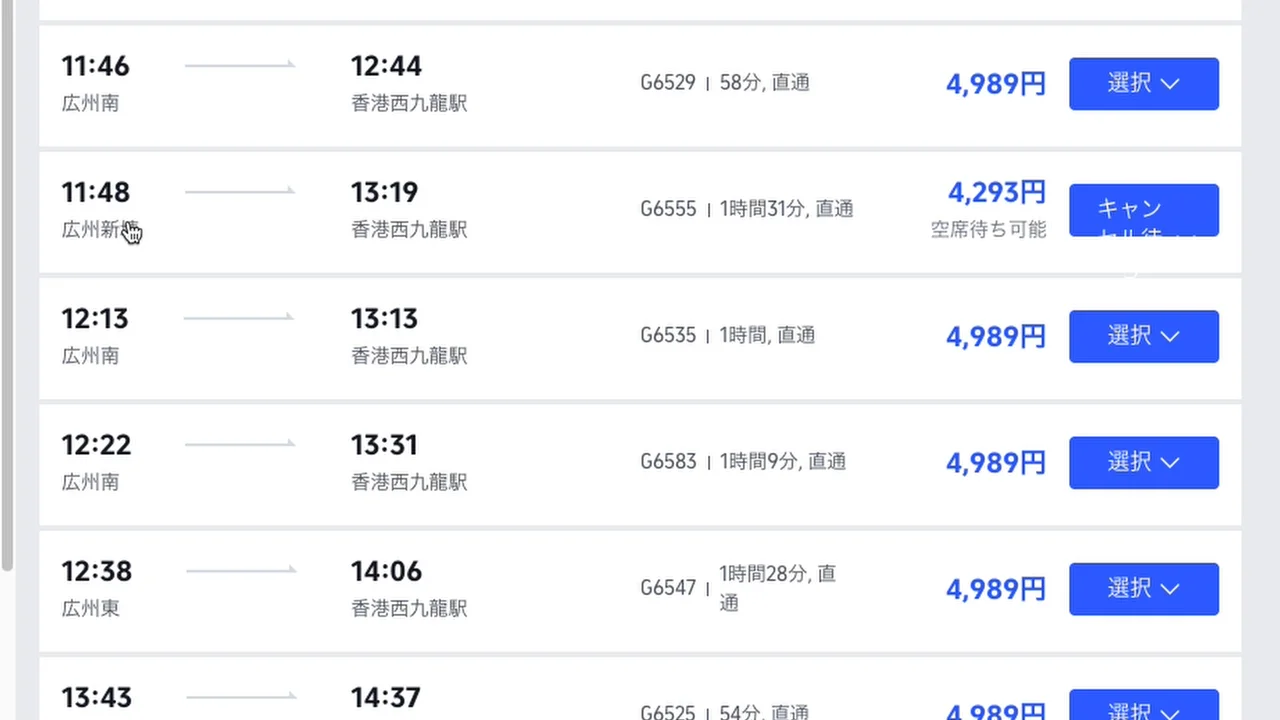
I wanted the 6:32 a.m. train starting from Guangzhou South, so I selected that.
Step 5: Choose a seat class
Click "Book" and you'll choose a seat class. Most high-speed trains offer three:
| Class | What to expect |
|---|---|
| Second class | The cheapest. Perfectly comfortable for most people |
| First class | Wider seats, more legroom |
| Business class | Near-flat recline. Much more expensive |
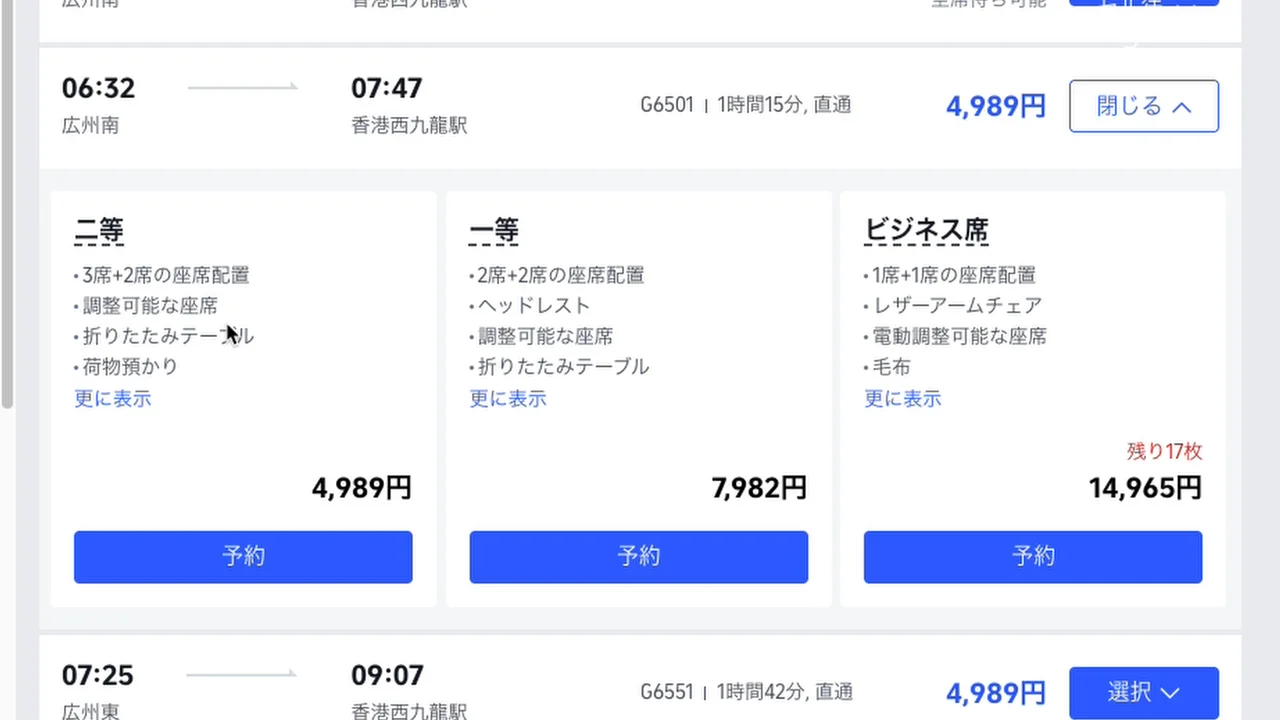
Every seat on Chinese high-speed trains is reserved — even second class. There's no "unreserved" carriage.
That said, some trains sell a "standing / no seat" (无座) ticket. You don't get a seat and ride standing in the vestibule between carriages (near the toilets and luggage area). It's the cheapest option.
Second class is all I ever need, so that's what I booked.
Step 6: Enter passenger details
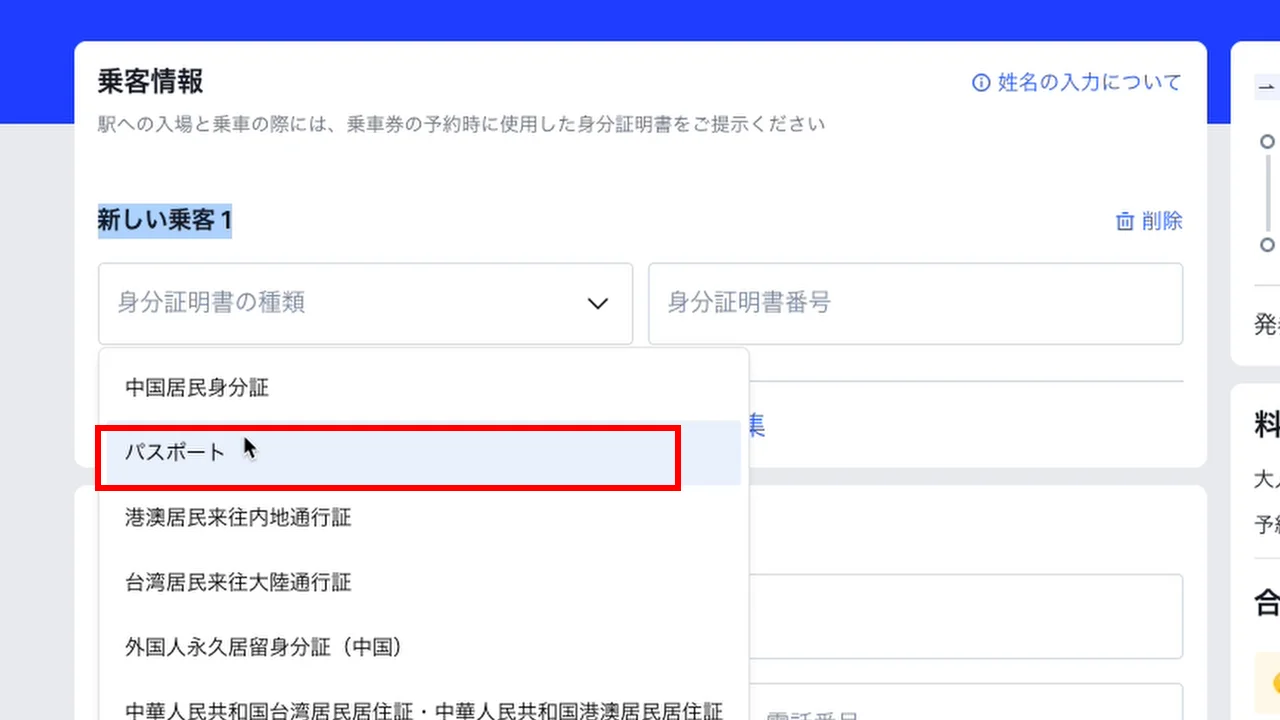
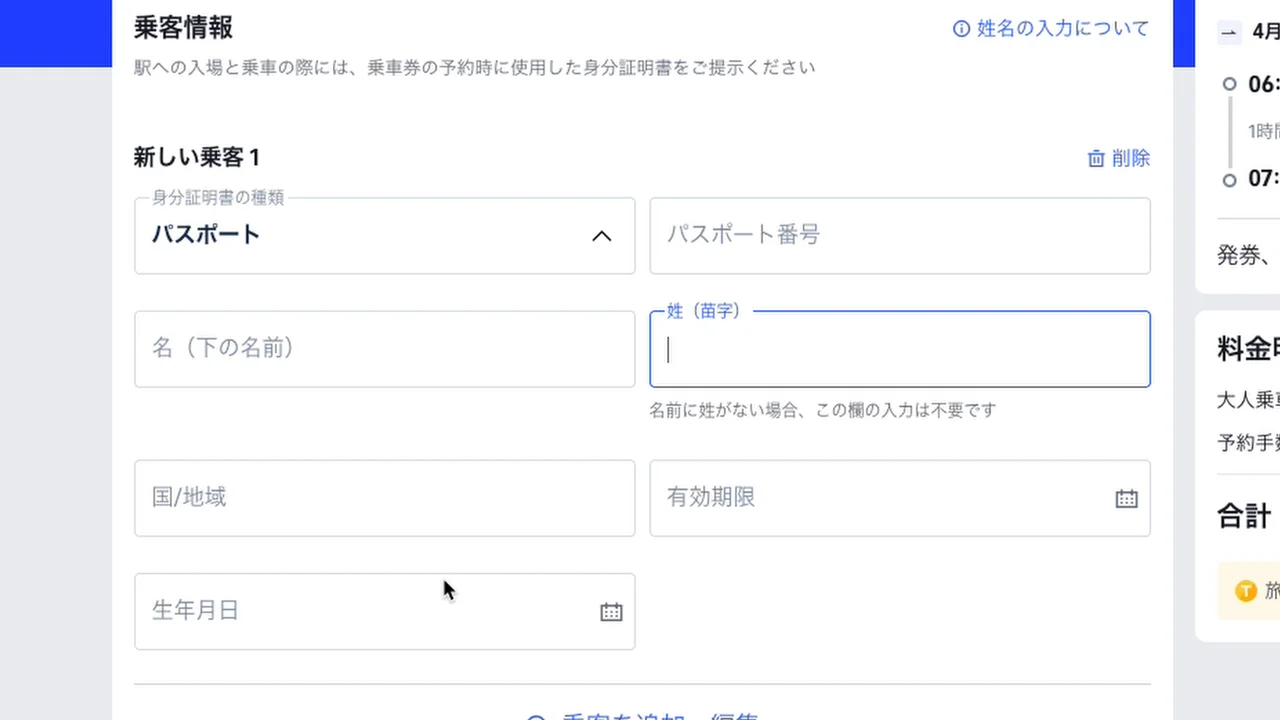
Enter everything exactly as it appears in your passport. Your passport is linked to the ticket, so a typo can stop you at the gate. Your home-country phone number is fine for contact details.
Step 7: Request a seat position
Next you'll see a "seat preference" option. You can't pick a specific car and seat number like on some trains, but you can choose a letter.
Second class is laid out as three seats (A, B, C) + aisle + two seats (D, F):
So for a window seat choose A or F, and for an aisle seat choose C or D. The exact car and row are assigned automatically based on availability.
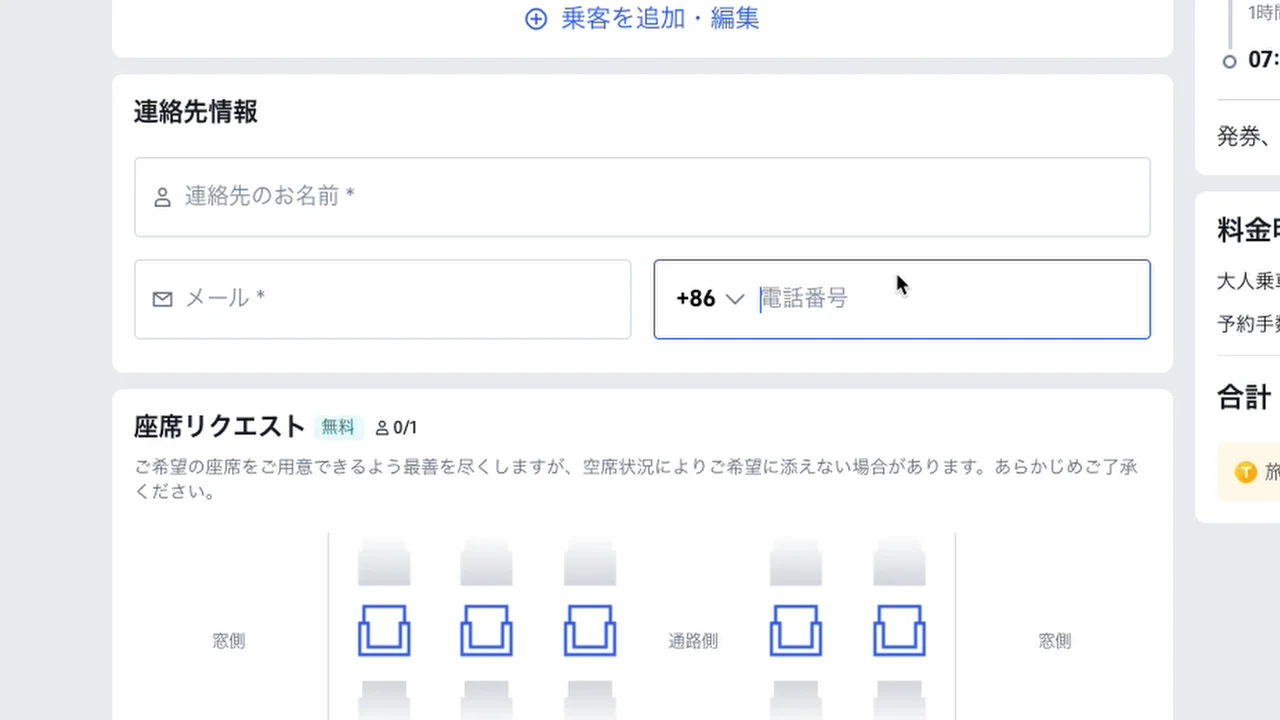
You can ignore the optional add-ons further down the page.
Step 8: Check and pay
Double-check the date, time, departure station and arrival station in the summary on the right.
For my Guangzhou South → Hong Kong West Kowloon second-class ticket, the total was the ticket price plus a booking fee of 650 yen. That fee is the extra cost of using Trip.com; booking on 12306 is free. (Trip.com shows prices in your chosen currency, so the exact figure you see will differ.)
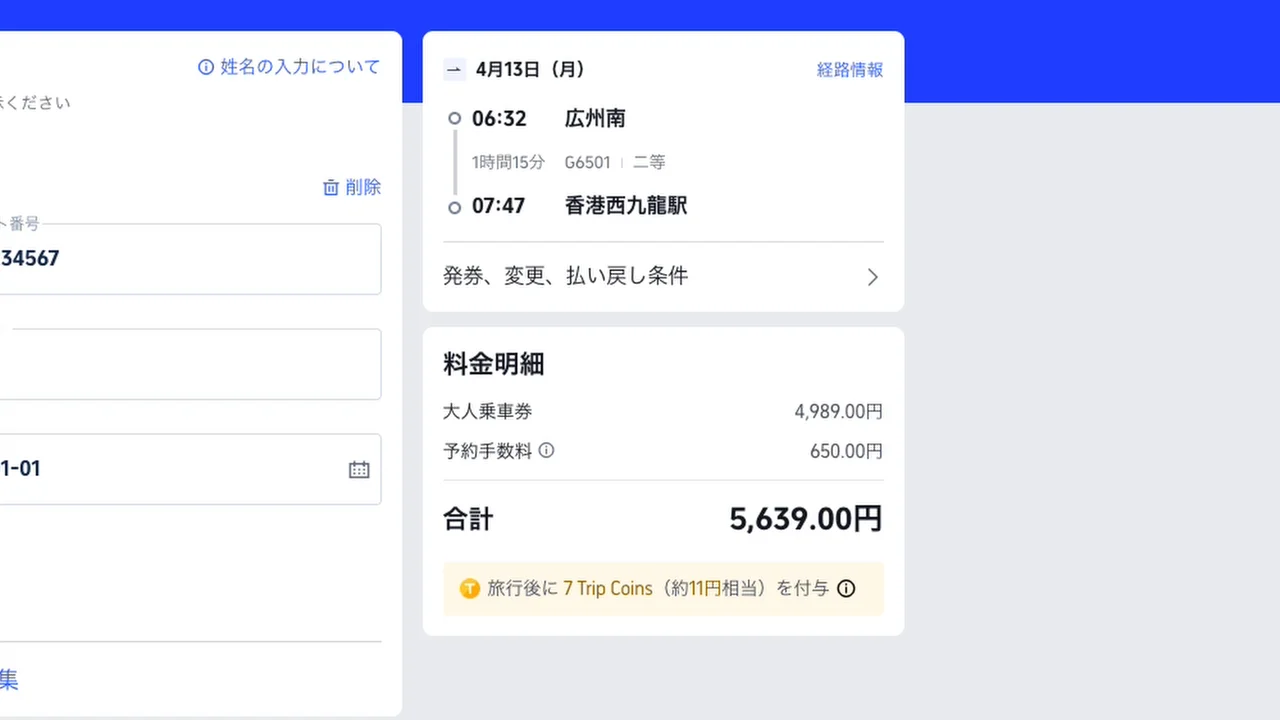
Click "Confirm", choose a payment method and pay. The status changes to "Issuing ticket", and shortly afterwards you'll get an email saying your ticket has been issued.
📧 Key details in your confirmation email
The confirmation email contains everything you'll need on the day. Save a screenshot on your phone.
| Item | Example | Importance |
|---|---|---|
| Train number | G6501 |
★★★ Essential |
| Ticket gate | A5 or B5 |
★★ May change on the day |
| Car and seat | Car 8, seat 01A |
★★★ To find your seat |
| Departure / arrival stations | — | ★★★ |
| Departure time | — | ★★★ |
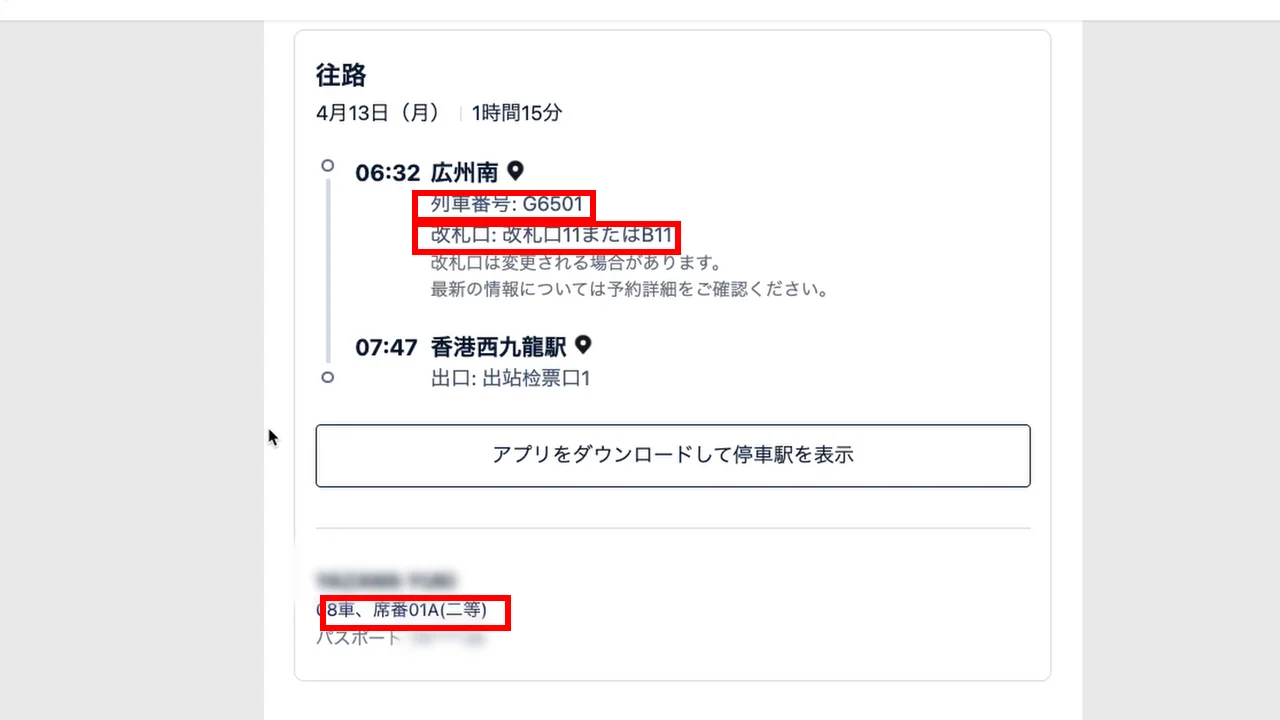
The train number and car/seat number matter most. Gates can change, so double-check yours on the departure board at the station.
🚄 Riding the train: Guangzhou South Station
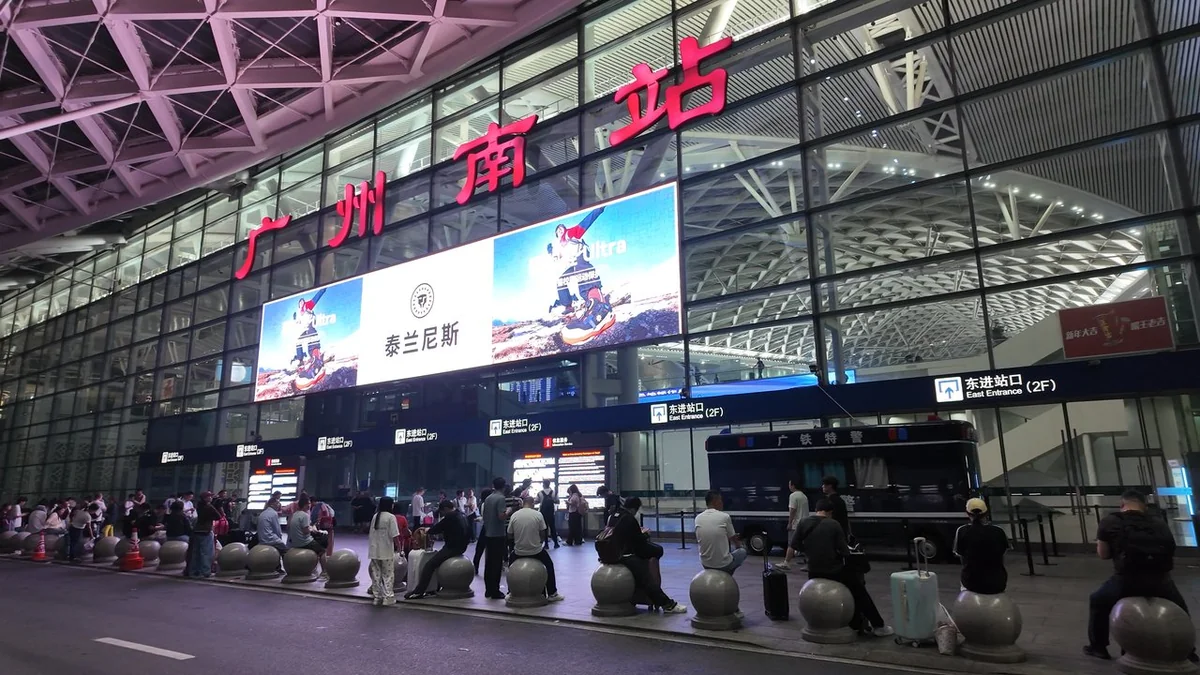
Here's what happened when I used my Trip.com ticket at Guangzhou South Station, bound for Hong Kong West Kowloon.
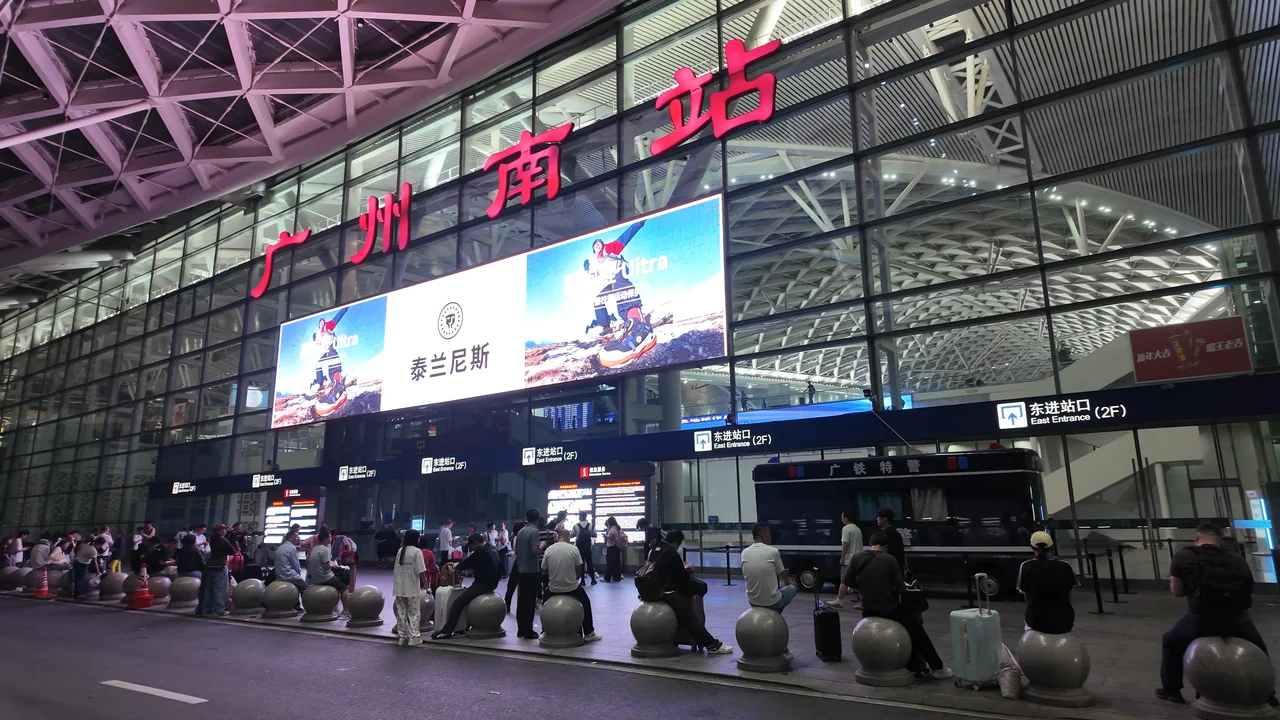
Arrive an hour before departure
I got to the station at 5:05 a.m. for my 6:32 train.
Very early in the morning, stations may not be open yet — for that first train of the day, the station opened about an hour before departure.
Trip.com's email also advises arriving 60 minutes early. Here's why:
- There's a passport check to enter the station
- Then a security check
- You need time to find your gate on the departure board
- You scan your passport again at the gate (two scans in total)
Entering the station: passport check and security
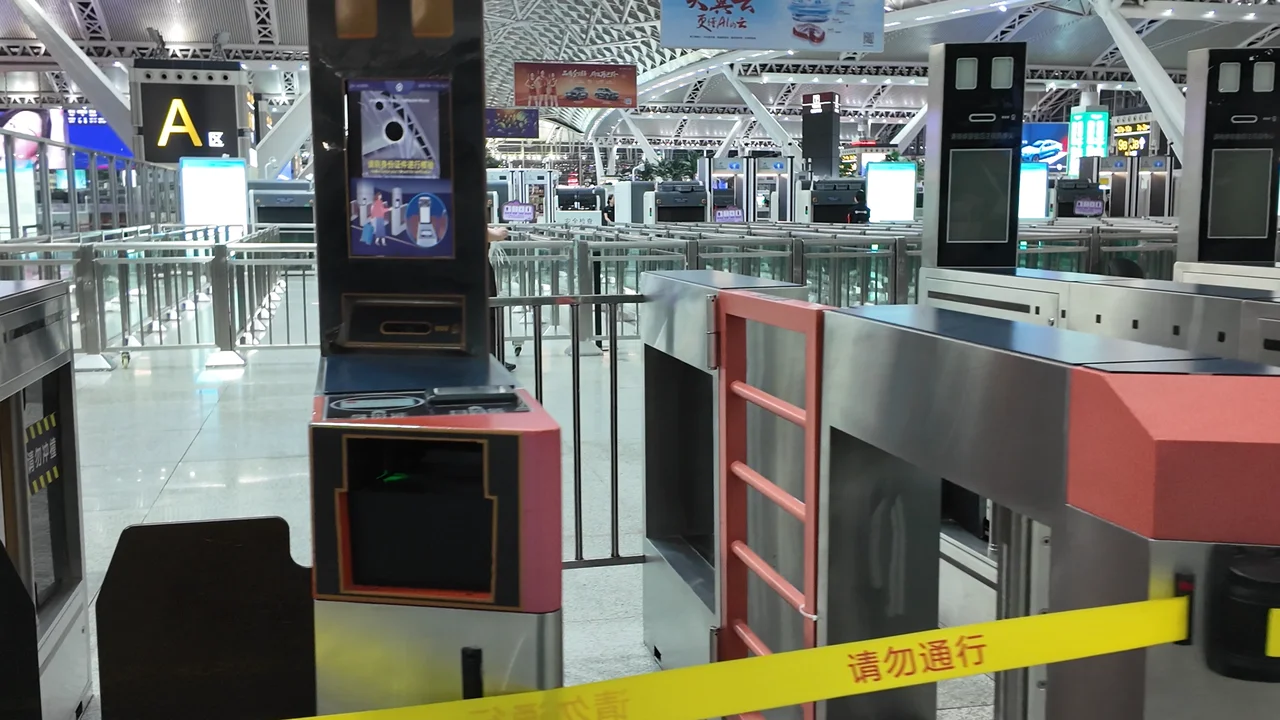
Important: the automatic gates don't always read foreign passports. If you only see gates for Chinese ID cards, look for a staffed lane. Lanes marked "护照" (passport) or simply showing your passport to a staff member will get you through.
Find your gate on the departure board
Once inside, look for the big departure board — every station has one. Check:
| What to check | Example |
|---|---|
| Train number | G6501 |
| Departure time | 6:32 |
| Destination | Hong Kong West Kowloon |
| Gate | A5 or B5 |
Careful: several trains to the same destination may be listed. Don't just look for "Hong Kong West Kowloon" — always check your train number.
The board cycles through lots of trains, so you may need to wait for yours to appear.
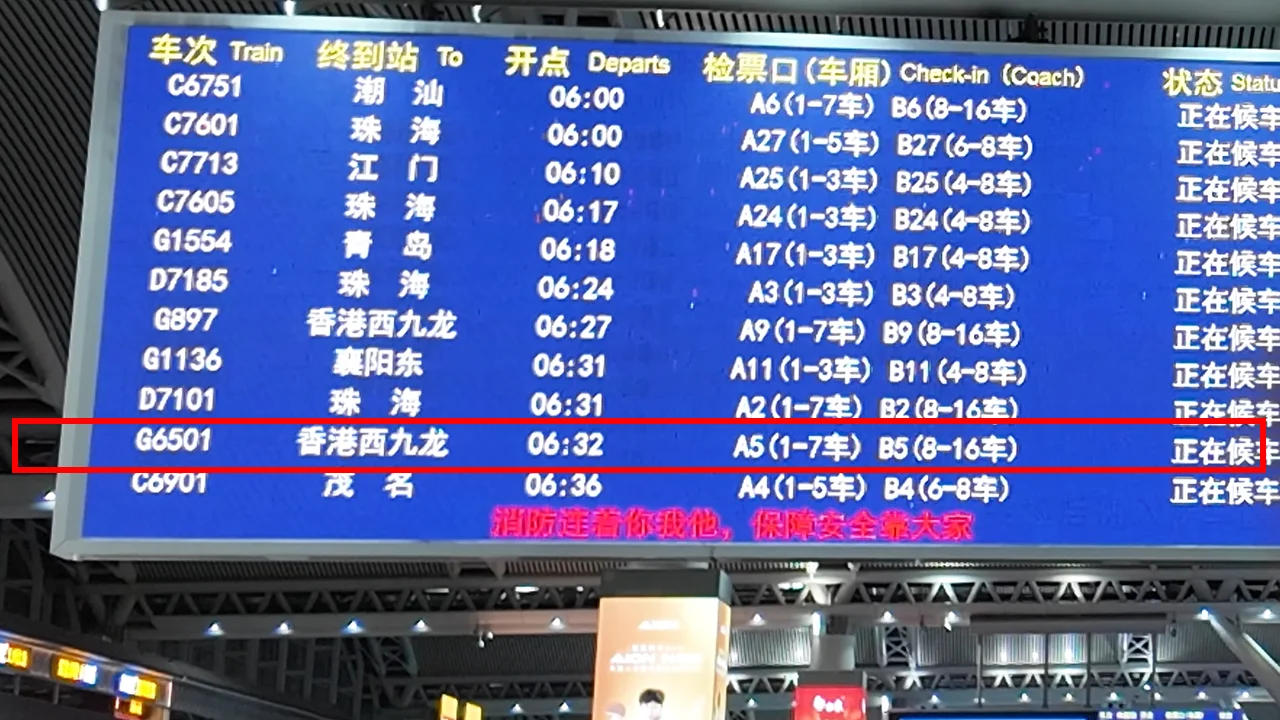
Gate "A" or "B"?
Gates are often shown as a pair, like A5 / B5:
- A5: passengers in cars 1–7
- B5: passengers in cars 8–16
Use your car number to choose. I was in car 8, so I went to B5.
Scan your passport again and board
Gates open about 20 minutes before departure — around 6:10 for a 6:32 train.
At the gate, scan your passport once more.
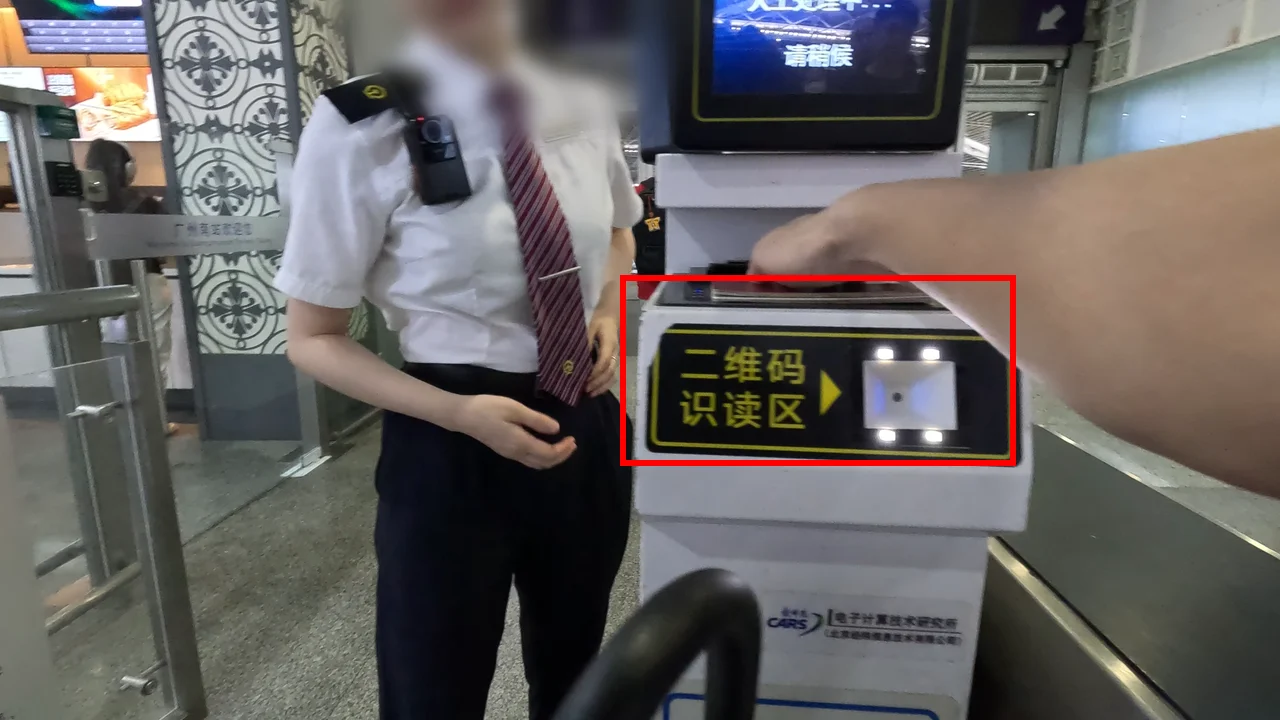
Here's the key thing to understand:
On Chinese high-speed trains, your passport is your ticket.
The passport details you entered on Trip.com are linked to your ticket in the railway system. When you scan your passport, the gate knows you have a ticket for this train and lets you through.
You don't need a paper ticket or a QR code. Paper tickets used to be issued, but now your passport does the job.
Find your car on the platform
On the platform, signs show where each car stops — board through your car's door. I was in car 8, seat 01A.
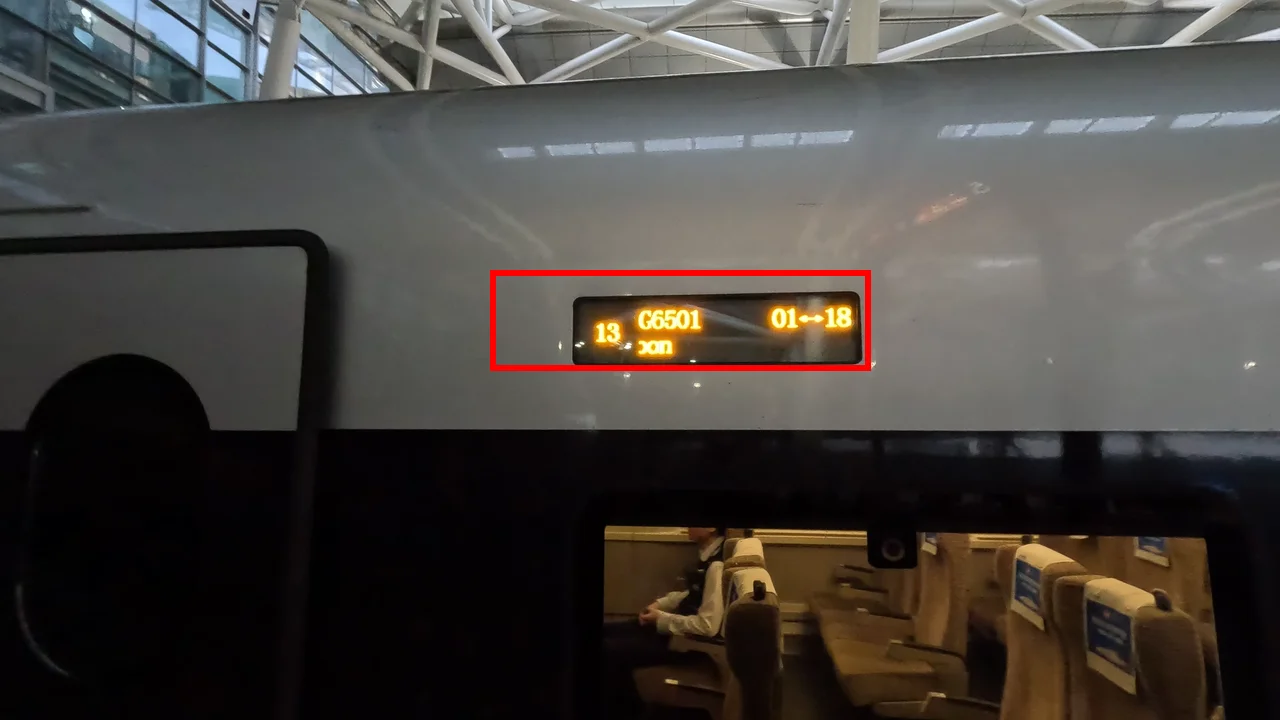
The train number "G6501" is also shown on the side of the train, so you can make one final check.
Boarding early means the overhead racks still have plenty of space for your bags.
And with that, I arrived safely at Hong Kong West Kowloon.
❓ FAQ
Can I get a paper ticket?
No need. Your passport works as your ticket — just scan it at the gates.
What about children?
Children need their own passport details entered too. Use "Add passenger" on Trip.com and enter their information the same way.
Can I change my booking?
You can cancel or change through Trip.com, but there's usually a fee, and it tends to be higher close to departure. Book once your plans are firm.
Trip.com or 12306?
- First time on Chinese trains, or want the easiest option → Trip.com
- Want to avoid fees, or ride often → the official Railway 12306 app
I live in China and ride often, so I use 12306. For travelers taking just a few trips, the Trip.com booking fee is well worth it.
📌 Summary
- On Trip.com, open "Trains" and enter your stations
- Choose your date, train and seat class
- Enter your passport details, contact info and seat preference
- Pay and save the confirmation email
- On the day, arrive an hour early → passport check → security → find your gate on the board
- Scan your passport at the gate and board
The two things to remember: your passport is your ticket, and station security takes time, so arrive early.
China's high-speed trains are fast, comfortable and genuinely impressive. Enjoy the ride!
🎬 Watch the video
I demonstrate the whole thing — from booking on Trip.com to boarding at Guangzhou South — on my YouTube channel, "4G's China Life" (the video is in Japanese — English subtitles are on the way).

▶ Watch: Booking a China high-speed train on Trip.com, and riding it
📚 Read next
- How to Ride the Metro in China — for getting around once you arrive
- How to Use DiDi in China — handy when you have luggage, plus where to find the pickup point at stations
- How to Use Alipay in China as a Foreigner — the foundation for paying for almost everything in China
- China Entry Guide: Immigration, Fingerprints and Customs — what to expect when you land
Information current as of October 2026. Trip.com and China Railway may change their services — please check their official sites for the latest details.