When people prepare for a China trip, they talk about Alipay, visas and map apps. The one that's often forgotten is translation 🗣️
You land in China with payments and maps all sorted, walk into a restaurant and get handed a paper menu. All Chinese. Out of habit you open Google Translate, tap the camera icon… and it just spins. Nothing happens.
I'm 4G (Yongji), a Japanese YouTuber living in Shenzhen, and I've watched visiting friends freeze at exactly this moment many times.
In this guide I'll rank the translation tools that actually work inside China (as of 2026). The short version: for most people, the translation built into Alipay is enough — plus one offline backup for when you lose signal.

🚫 First: Google Translate doesn't "open" in China
This isn't about accuracy or speed. The app simply can't connect.
There are two reasons.
Reason 1: Google shut down its China version in 2022
There used to be a mainland-China version, translate.google.cn, that worked inside China. Google discontinued it in October 2022, citing low usage.
Reason 2: the international version is blocked
The remaining international version (translate.google.com and the app) is blocked like other Google services in China. On Chinese Wi-Fi or a Chinese SIM, the app can't reach its servers.
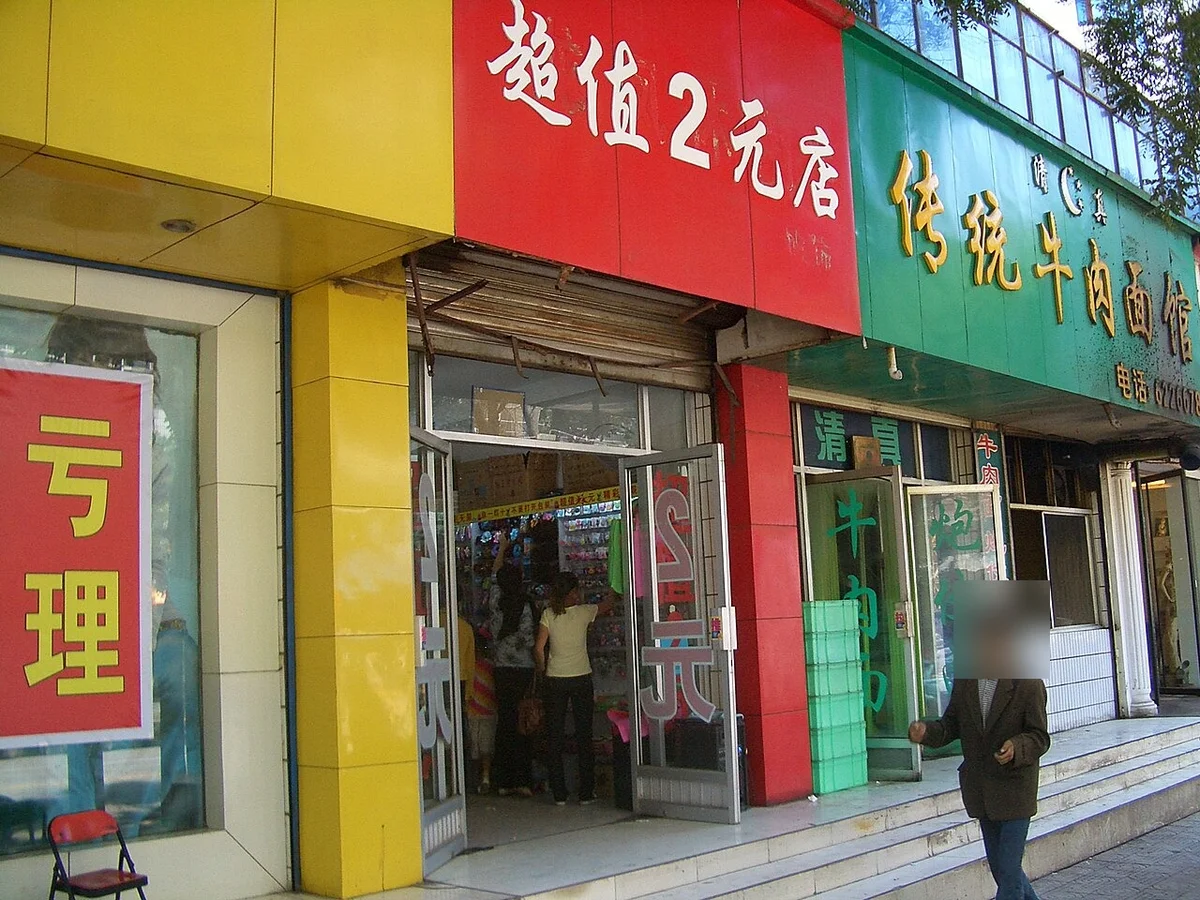
💡 If you use a roaming plan, a China eSIM or a VPN (see 6 Things to Know Before Traveling to China), Google Translate can work — but it's still smart to have a translation tool that doesn't depend on that.
✅ The plan: three layers of translation
You don't need to install everything. Each layer has a different job:
| Layer | What to use | Role | Effort |
|---|---|---|---|
| Layer 1 | Translation inside Alipay | Your main tool on the ground | Zero (you'll have Alipay anyway) |
| Layer 2 | Apple Translate / Google Translate offline | Backup for no signal | 5 minutes before you go |
| Layer 3 | Baidu Translate / Youdao | For heavy camera-translation users | 5 minutes before you go |
Most people only need Layer 1. But do set up Layer 2 as insurance — here's why below.
🥇 Your main tool: translation built into Alipay (支付宝)
Not many people know this, but Alipay has translation built in.
In 2024, as part of China's push to make life easier for foreign visitors, Alipay became available in 16 languages (including English and Spanish) and added an embedded translation tool for foreign users.
What it can do
- Translate the app and its services — switch Alipay's interface to your language, and translate many of the services inside it (hotel booking, taxis, tickets) with one tap
- A translator for everyday use — search "Translate" in Alipay and you'll find text translation; depending on your app version, voice and camera translation are available too (menus, signs)
In other words, much of what you'd use Google Translate for is right there.
Why it's the number one choice
How to use it
📱 iPhone users: set up the built-in "Translate" app
Now for insurance.
Alipay's translation needs internet. But in China, metro platforms, elevators and mountain sights can easily drop your signal. You don't want your translator to die along with your connection.
So keep one tool that works offline. For iPhone users, the answer is the built-in Apple "Translate" app:
- An Apple service, so China's internet restrictions don't affect it
- With languages downloaded, it works completely offline
- Conversation mode (split screen, each person speaks in turn) is genuinely good
- Nothing new to install
Set it up before you leave
🌐 Bring Google Translate as an offline-only tool
I said Google Translate doesn't work — but not completely.
Google Translate has offline translation: download the language data in advance, and it translates without any connection. That happens entirely on your phone, so China's restrictions don't matter.
This matters most for Android users. Apple's Translate app doesn't exist on Android, so Google Translate offline is your backup.
Set it up before you leave
What works offline and what doesn't
| Feature | Offline in China |
|---|---|
| Text translation | ⭕️ Works (less accurate than online) |
| Camera translation (point and read) | 🔺 Works on some phones/languages — test first |
| Voice / conversation | ❌ Doesn't work |
| Handwriting | ❌ Doesn't work |
| Website translation | ❌ Doesn't work |
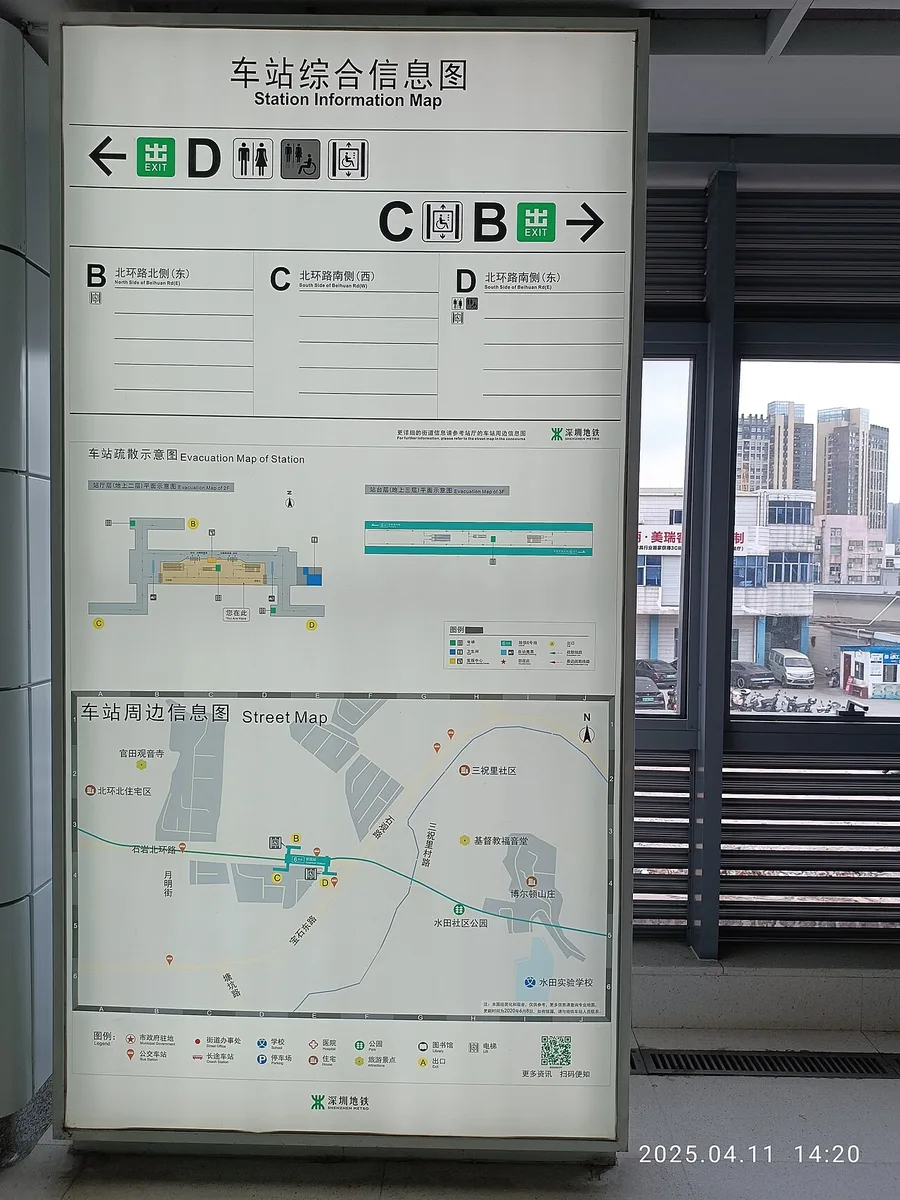
By the way, signs in metro stations and airports are almost always in Chinese and English. Where you really need translation is small restaurants' menus, product packaging and hospital reception desks.
🇨🇳 Chinese translation apps: Baidu Translate and Youdao
If you want to use camera translation a lot, or you'll be in China a long time, Chinese-made apps can be a step up.
Baidu Translate (百度翻译)
China's most widely used translation app. On iPhone, it's listed in the App Store in many countries (search "百度翻译" or "Baidu Translate"), and it's free.
- Three camera modes — snap and translate, translate just the part you swipe, or real-time AR translation
- Offline packs you can download in advance
- Especially strong at Chinese ⇄ English
Youdao Translate (有道翻译官)
From NetEase, also available on iPhone in many countries. It supports over 100 languages and is known for strong OCR (text recognition) in photo translation.

💬 WeChat also has translation built in
If you'll use WeChat, these are handy:
① Translating chat messages
Long-press a Chinese message → "Translate" and it's translated on the spot.
WeChat has also added automatic translation of incoming messages. Set your target language under "Me → Settings → General → Translate", and you won't have to long-press every message.
② Translating mini program screens
This one is quietly powerful. In China, restaurant ordering, bike rentals and ticket booking all happen inside mini programs — and those screens are in Chinese.
Since October 2024, WeChat has offered mini program translation. When you open a mini program, tap the button at the top right → "Translate", and the whole page is translated into your chosen language (18 languages are supported, including English).
⚠️ What not to rely on
Some apps are still recommended online but aren't dependable in China as of 2026:
| Service | Situation in China |
|---|---|
| Google Translate (online) | ❌ Blocked. The China version ended in October 2022 |
| DeepL | 🔺 Reports are mixed — it may work on some connections and not others, and it has no offline mode. Don't make it your main tool |
| Microsoft Translator | 🔺 Offers offline language packs, but behavior in China varies. Fine as an extra — test it offline before you go |
| Tencent TranSmart (腾讯翻译君) | ❌ Shut down in March 2025 (merged into Tencent's Yuanbao app). Older articles may still recommend it |
| ChatGPT / Gemini | ❌ Not available from China without a workaround — don't count on them for translation |
| WhatsApp / Instagram translation features | ❌ The apps themselves are blocked in China |
🎯 How I use them, situation by situation
Here's how I actually use these tools living in Shenzhen.
🍜 Paper menus and order slips
Time for camera translation. Open Alipay's translator and photograph the menu — the fastest way.
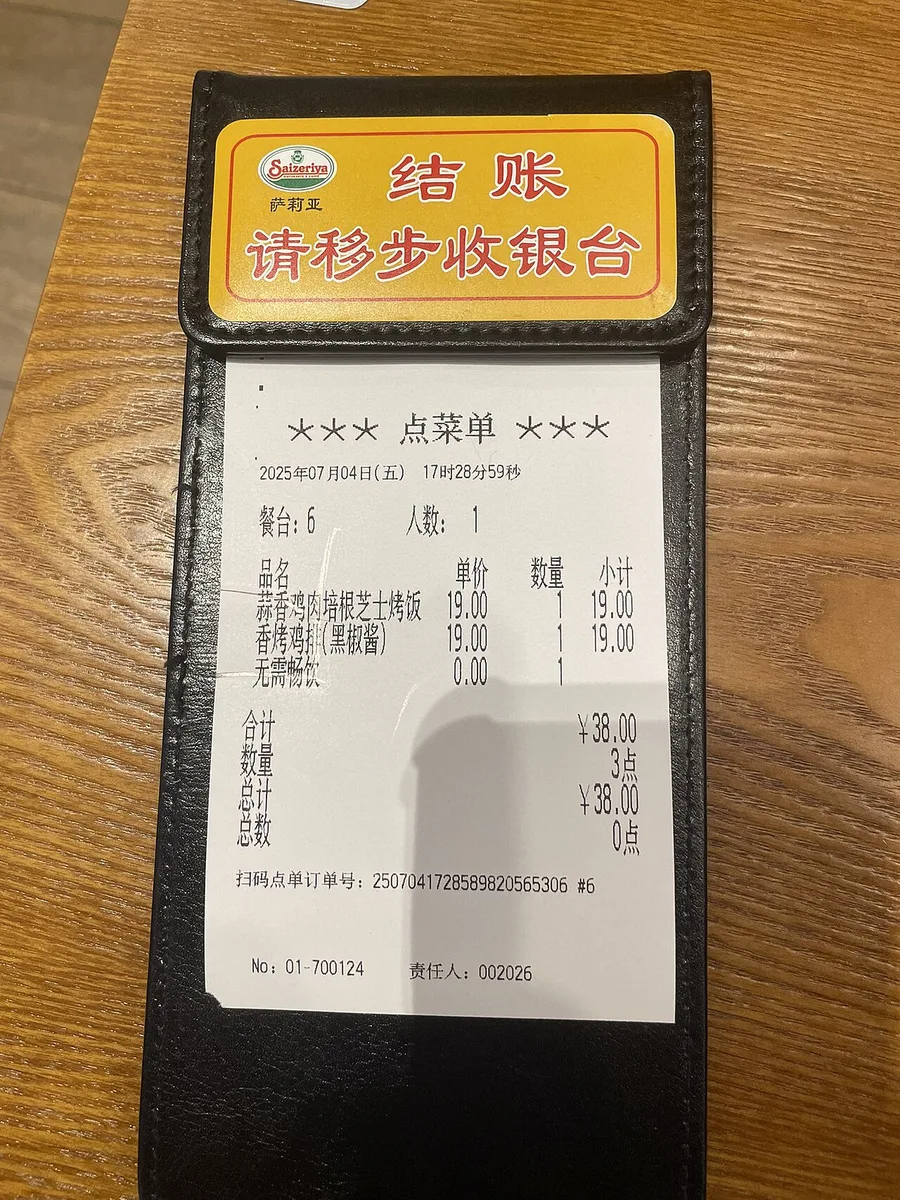
But dish names translated literally can be baffling. "夫妻肺片" comes out as "husband and wife lung slices", which won't help you decide 😅 For dish names, choose from the photos, or look at what other people order on review apps.
Also, most Chinese restaurants now use QR code ordering on your phone. That's a mini program screen, so WeChat's or Alipay's built-in translation works better there.
🗣️ Talking to shop staff and taxi drivers
Typing and showing the screen is faster than voice translation.
Voice translation struggles with noise, and Chinese diners and markets are loud. Prepare common phrases in advance — "To go, please", "Not spicy, please" — and show the screen. That's what works in practice.
💊 Pharmacies and hospitals
This is where accuracy matters most. Getting symptoms or medicine names wrong isn't funny.
My advice: before you leave home, translate your medical conditions, allergies and regular medications into Chinese and save them in your phone's notes. You can show them offline, calmly, when you need to.
🏪 Product packaging and ingredients
Camera translation shines here. Spice level, expiry dates, allergens — things you need to read. Baidu Translate's AR mode (the translation appears over the text in real time) is great for this.
🧳 Pre-trip checklist
Do this on Wi-Fi at home before you leave. It takes 5 minutes.
- ☑️ Install Alipay and link your foreign card (the translation tool lives here)
- ☑️ iPhone: download Chinese and your language in the Translate app + turn on On-Device Mode
- ☑️ Android: download offline Chinese (Simplified) and your language in Google Translate
- ☑️ Turn on airplane mode and test it (most people skip this)
- ☑️ Save Chinese translations of your medical conditions, allergies and medications in your notes
- ☑️ For serious camera translation, install Baidu Translate or Youdao (iPhone)
❓ FAQ
Q. Can I use Google Translate with a VPN? A. Yes. But it's slower, and the moment your VPN drops, translation stops too. You don't want to be wrestling with a VPN in front of a menu. Use the VPN for Google, WhatsApp and Instagram, and keep a translation tool that works inside China separately.
Q. Do pocket translator devices work in China? A. Some, like Pocketalk, list China in their coverage — but usually with a note that service may be unavailable depending on local conditions. Fine to bring, but don't rely on it alone. Set up your phone too.
Q. I can't type Chinese characters. A. Copy and paste Chinese from articles like this one or from travel sites — that's fastest. Or type in your own language and let the translation app produce the Chinese.
Q. Is it rude to show a translated screen? A. Not at all. Staff in China are completely used to it. Showing a screen is often quicker than struggling through Chinese they can't understand.
Q. Is the free version enough? A. Yes. Everything in this article works for free at travel level.
Q. Don't people in Shenzhen or Shanghai speak English? A. At hotel front desks, airports and big malls, sometimes. But local diners, taxis, supermarkets and hospitals generally don't. City size doesn't predict English as much as you'd expect.
✅ Summary
- 🚫 Google Translate doesn't work in China. The China version ended in October 2022, and the international one is blocked
- 🥇 Use Alipay's built-in translation as your main tool — no extra app needed
- 📱 Keep one offline backup: Apple Translate on iPhone, Google Translate offline on Android
- 🇨🇳 For serious camera translation, Baidu Translate (iPhone)
- ⚠️ Don't count on DeepL or Tencent TranSmart — watch out for outdated advice
The one thing I really want to say: test your translator in airplane mode before you leave home. The moment you need it is usually when your connection is shaky and you're in a hurry — the worst time to be fiddling with settings.
It takes 5 minutes. Add one line to your pre-trip checklist 😊
📚 Read next
- 💳 How to Use Alipay in China as a Foreigner — Alipay's translation needs this setup first
- 🧩 10 Alipay Mini-Apps Every China Traveler Should Know — Alipay is packed with travel tools besides translation
- 🍜 How to Order with a QR Code in Chinese Restaurants — where you'll actually face Chinese menu screens
- 🗺️ Amap (Gaode Maps) Guide for Foreigners — the answer to "Google Maps doesn't work"
- 💬 How to Set Up WeChat Pay as a Foreigner — set up your WeChat account to use its built-in translation
- 🎒 6 Things to Know Before Traveling to China — the big picture of pre-trip prep
Information current as of October 2026. Translation apps and their features change often — please check that the apps you plan to use still work before you travel.
Image credits: Wikimedia Commons — Huaqiangbei pedestrian street, Shenzhen: Mx. Granger (CC0) / shop signs in China: User:Vmenkov (CC BY-SA 3.0) / Shenzhen Metro station sign: MAWO 20SZ FWAHIU (CC0) / supermarket shelves: Shwangtianyuan (CC BY-SA 4.0) / Chinese order slip: 茅野ふたば (CC BY-SA 4.0). Faces in the photos have been blurred.